STRADA PAL – MAINTENANCE MANUAL
83/149
8.3.7 Replacing the protective flap of the mechanical lock
8.3.7.1 Preliminary operations
A. Open the maintenance door
B. Turn off the terminal
C. Dismantle the mechanical lock of the maintenance door
D. Remove the maintenance rack
8.3.7.2 Replacement
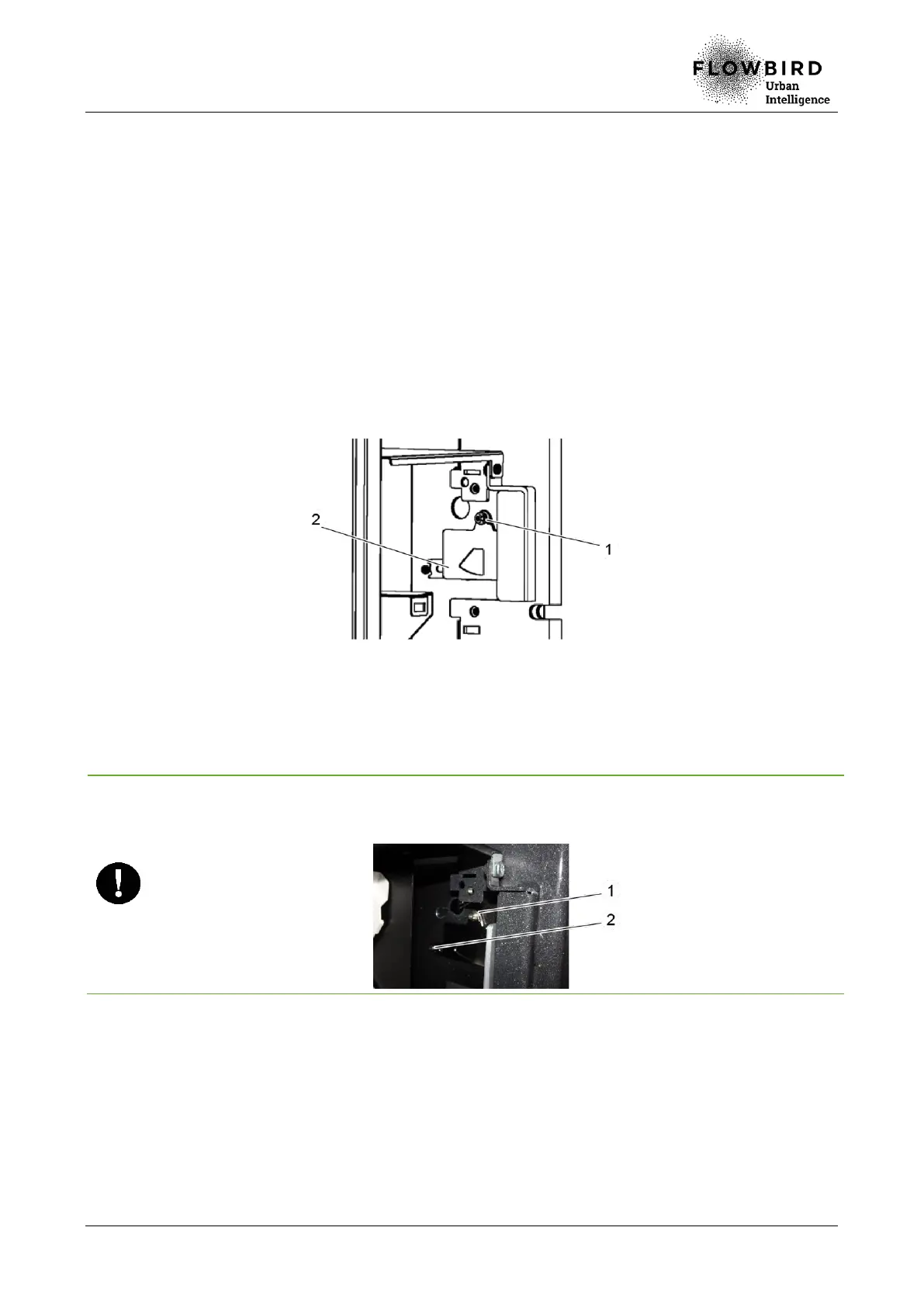
A. Loosen the nut (1) that holds the flap on the housing stud.
B. Remove the protective flap (2).
Replacing the protective flap
8.3.7.3 Installation
A. Repeat the previous steps in reverse.
Careful with the assembly direction of the protective flap: do not position the spring (1) of
the protective flap agains the housing, and carefully place the protective flap against the
rod (2) on the housing.
8.3.7.4 End of procedure
A. Turn on the terminal
B. Close the maintenance door



 To Next Page