Chapter 3: Operation
Connect the Hyperion Tissue Imager to Helios
Hyperion Imaging System User Guide
27
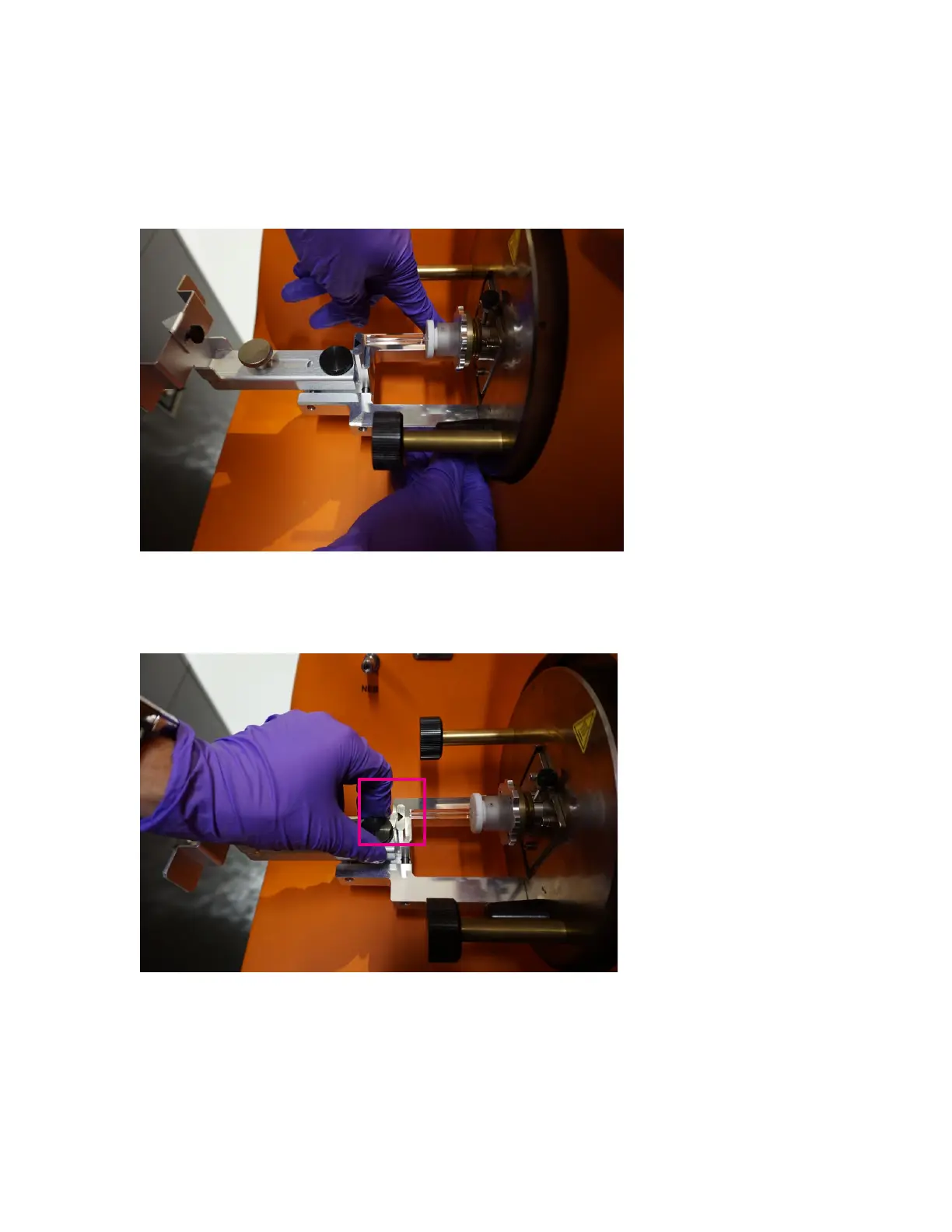
7 With the first thumbscrew secure, reach down from above with your other hand and
tighten the thumbscrew on the left. After both screws are secure, ensure that the
alignment tool is level on the heater guide pins and that the back of the tool is against
the Torch Assembly.
8 Loosen the black thumbscrew on the top of the alignment tool and horizontally line up
the arrow of the alignment tool with the center of the injector. Tighten the black
thumbscrew to lock the position of the alignment tool.



 To Next Page