Chapter 4: Maintenance
Periodic Maintenance
54 Hyperion Imaging System: User Guide
73BChange the Interface Pump Oil
Before beginning the procedure have on hand:
• Funnel with extension tubing
• Flexible drain funnel
• Vacuum Pump Oil (PN 101810)
1 Switch off the RF generator power using the RFG circuit breaker on the right side of the
instrument
2 Open the front access door using the door handle. Pull the spring pin and open the
lower instrument door.
3 Open the lower right door of the instrument. The Interface Pump is on the right side of
the instrument.
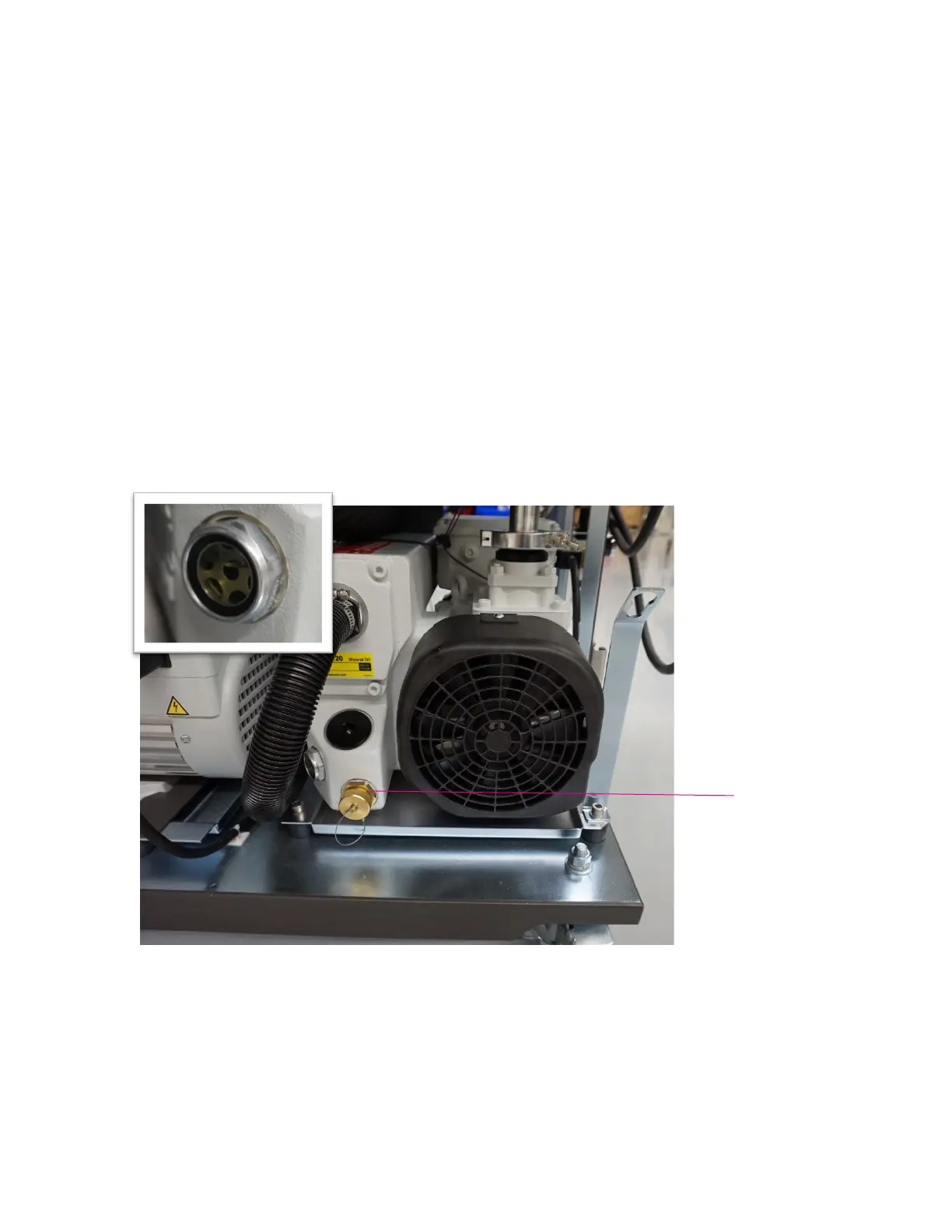
Figure 10. The interface pump in the lower right compartment of the Helios system. The visual inspection
window is on the side of the interface pump (inset).
4 The oil level in the interface pump should be approximately ¾ full according to the Min
and Max lines on the visual inspection window.
Valve



 To Next Page