732B/734A
Instruction Manual
2-6
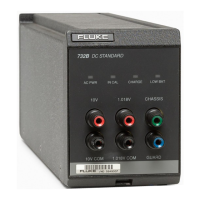
3. Insert the 732B or 732B-7001 into one of the four instrument bays. Guides along the
bottom and a rear panel alignment stud inside the enclosure ensure correct
installation.
4. When the unit is fully installed, lift and engage the locking lever at the bottom of the
732B or 732B-7001 front panel and finger-tighten the thumbscrew.
5. Prepare and connect cables to the rear panel MONITOR/EXT BAT IN (Model
732B) or BAT OUT (Model 732B-7001) connectors as described in Section 3.
6. Connect the enclosure’s ac line cord to a grounded three-prong ac outlet. All units
installed in the chassis are powered by this line cord.
www.valuetronics.com


 To Next Page