CableIQ Qualification Tester
Users Manual
42
Discover Mode Results for Coaxial Cabling
To see results for coaxial cabling in Discover mode, press
K c. Figure 16 describes some typical coaxial
results screens.
avv50.bmp
avv55.bmp
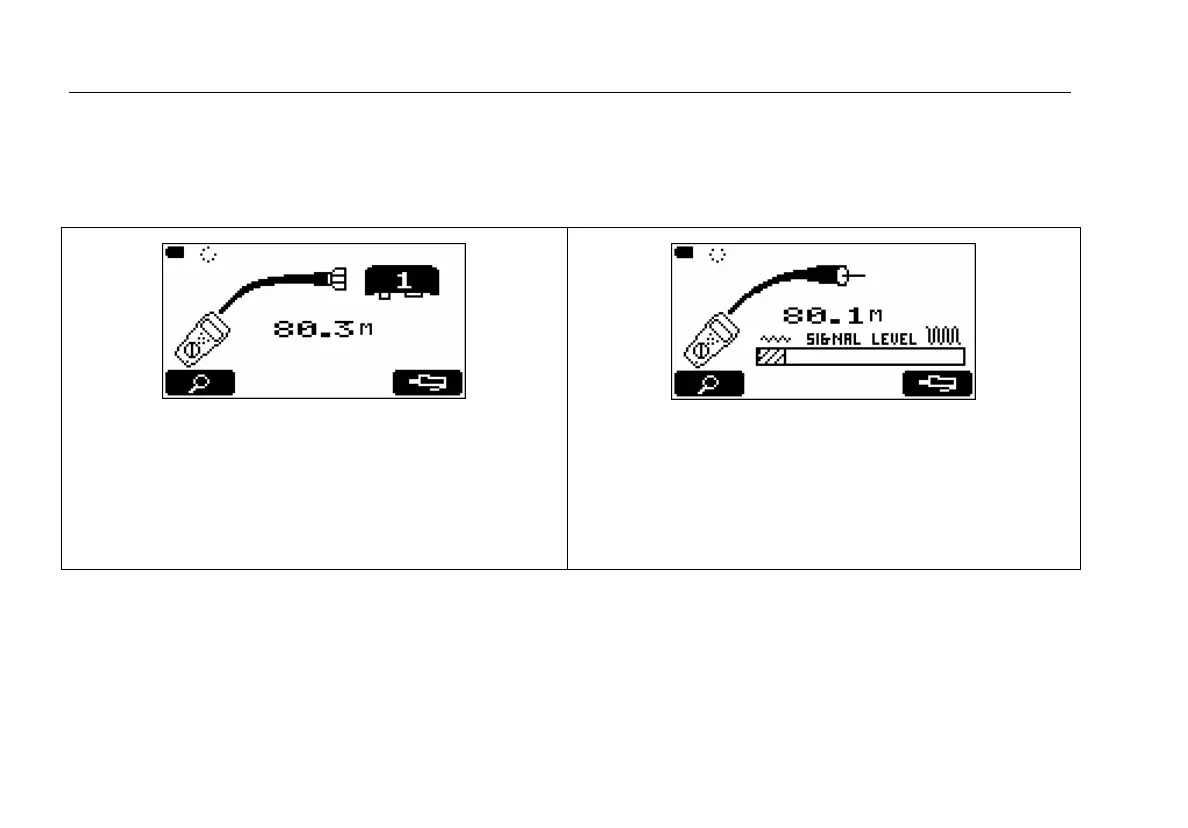
Coaxial cabling with wiremap adapter attached. The
cabling is 80.3 m long.
Press
J M to see a TDR plot of the cabling. See
Figure 17.
Figure 14 on page 34 describes additional coaxial results.
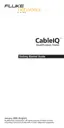
Cabling is open at the far end.
The signal level graph appears when no wiremap adapter or
ID locator is connected. No signal is present in this example.
-continued-
Figure 16. Discover Mode Results for Coaxial Cabling









 To Next Page