Blinking a Port Light
51
Blinking a Port Light
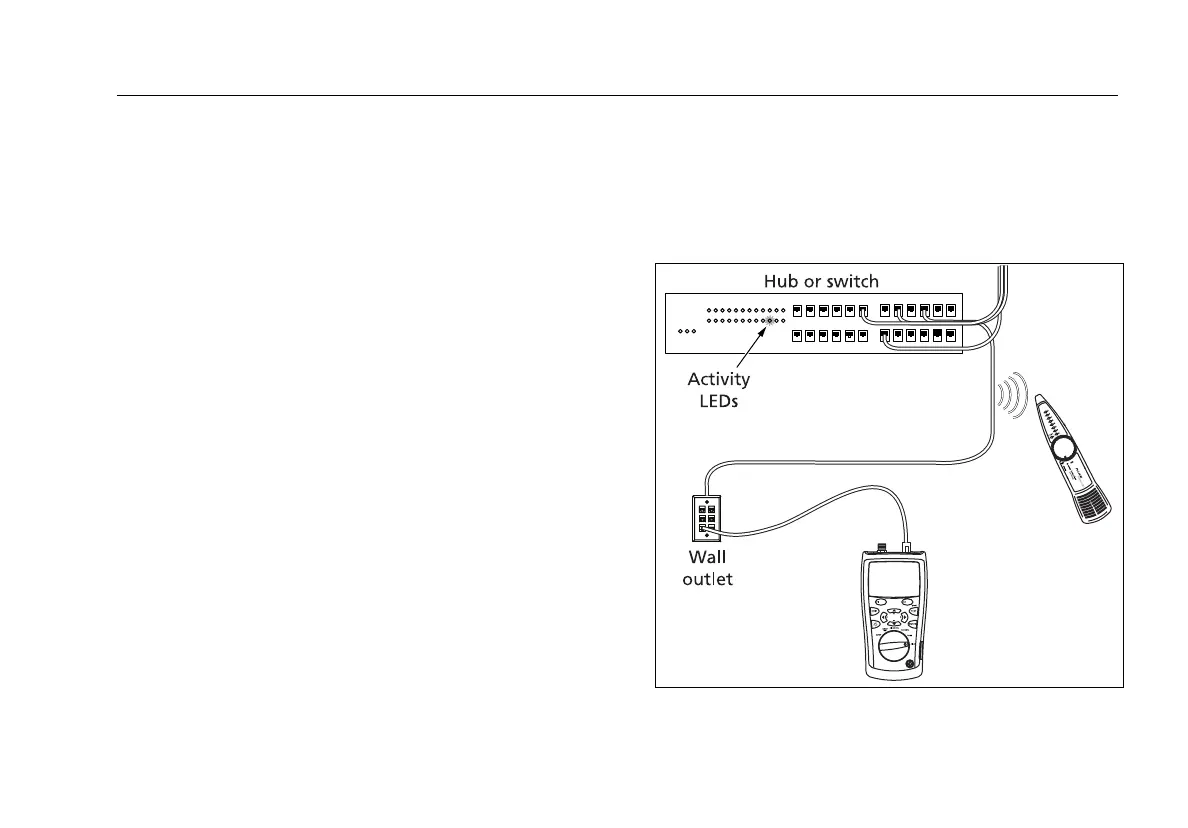
The Blink Port Light function helps you determine which
cable is connected to which port on a network hub or
switch. This function generates a link pulse on pairs 12
and 36 to blink the port’s activity LED.
The tester’s analog toner is also active when the port
light function is active.
To blink a port light:
1 Turn the rotary switch to DIAG.
2 Connect the tester to the cabling as shown in
Figure 22.
3 Use
D to highlight Blink Port Light; then press H,
J, or P.
To change the blink rate, press K.
4 Check the hub or switch to see which activity LED is
blinking. The tester’s analog toner is on, so you can
also use a tone probe to locate the cable if necessary.
Note
The Blink Port Light function does not work
with non-negotiating hubs or with ports that
use signal timing outside of typical timing
parameters.
avv05f.eps
Figure 22. Blinking a Port Light









 To Next Page