Chapter 1 Product description FTA5102/FTA5101 User Manual
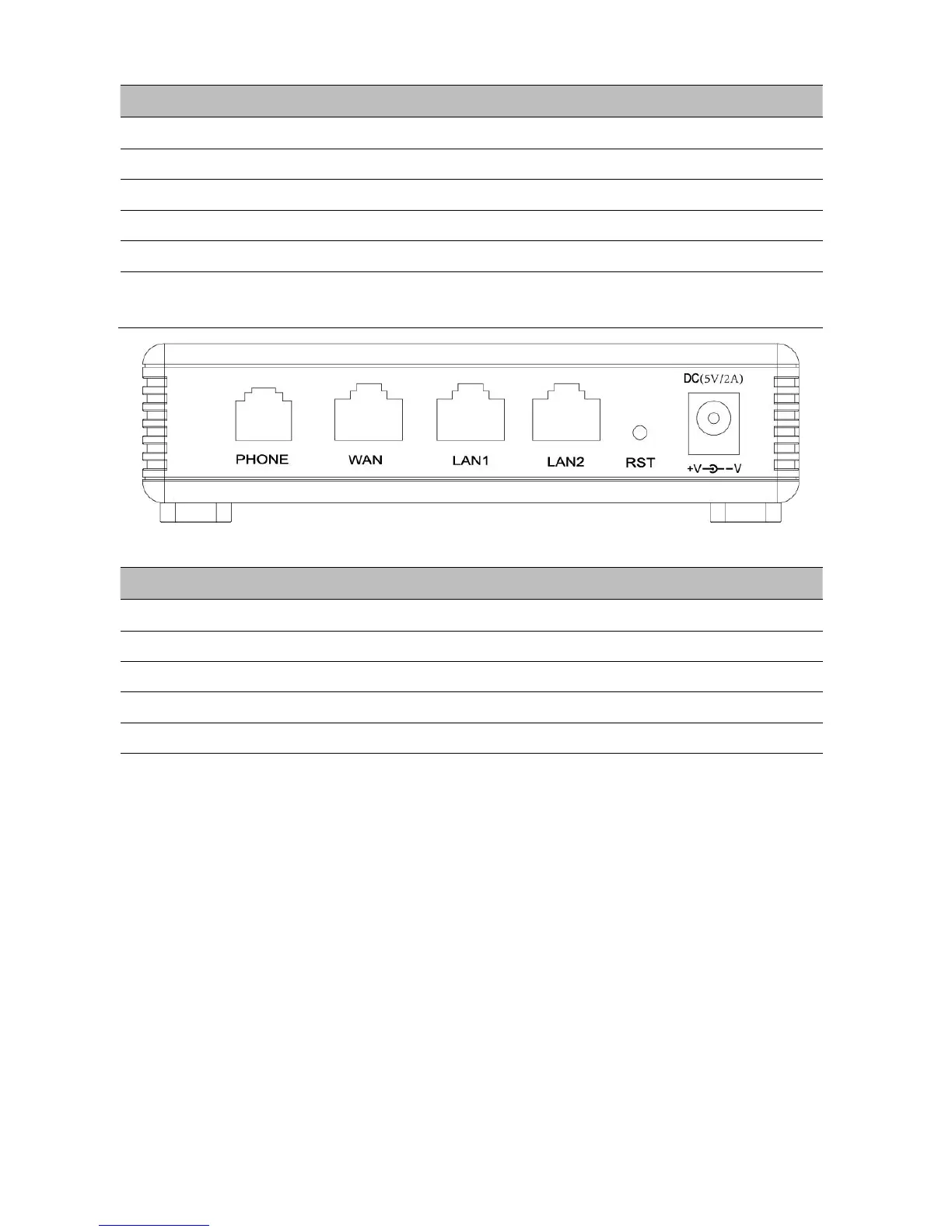
Connector for accessing the Internet
Connectors for local networked devices
Restore the factory settings button, press and hold the device after 5s to restore
Connector for a power adapter
Table 5
FTA5101 I
nterfaces
Connector for accessing the Internet
Connectors for local networked devices
Restore the factory settings button, press and hold the device after 5s to restore
Connector for a power adapter
Hardware Installation
Before configuring your router, please see the procedure below for instructions on connecting the device in
your network.
Procedure 1 Configuring the Router
1.
Connect analog phone to ATA Port with an RJ11 cable.
2.
Connect the WAN port to the Interne your network’s modem/switch/router/ADSL
3.
equipment using an Ethernet cable.
4.
Connect one end of the power cord to the power port of the device. Connect the other end to the
wall outlet.
5.
Check the Power, WAN, and LAN LED to confirm network connectivity.



 To Next Page