Chapter 6 Troubleshooting Guide FTA5102/FTA5101 User Manual
Configuring PC to get IP Address automatically
Follow the below process to set your PC to get an IP address automatically:
Step 1 : Click the “Start” button
Step 2 : Select “control panel”, then double click “network connections” in the “control panel”
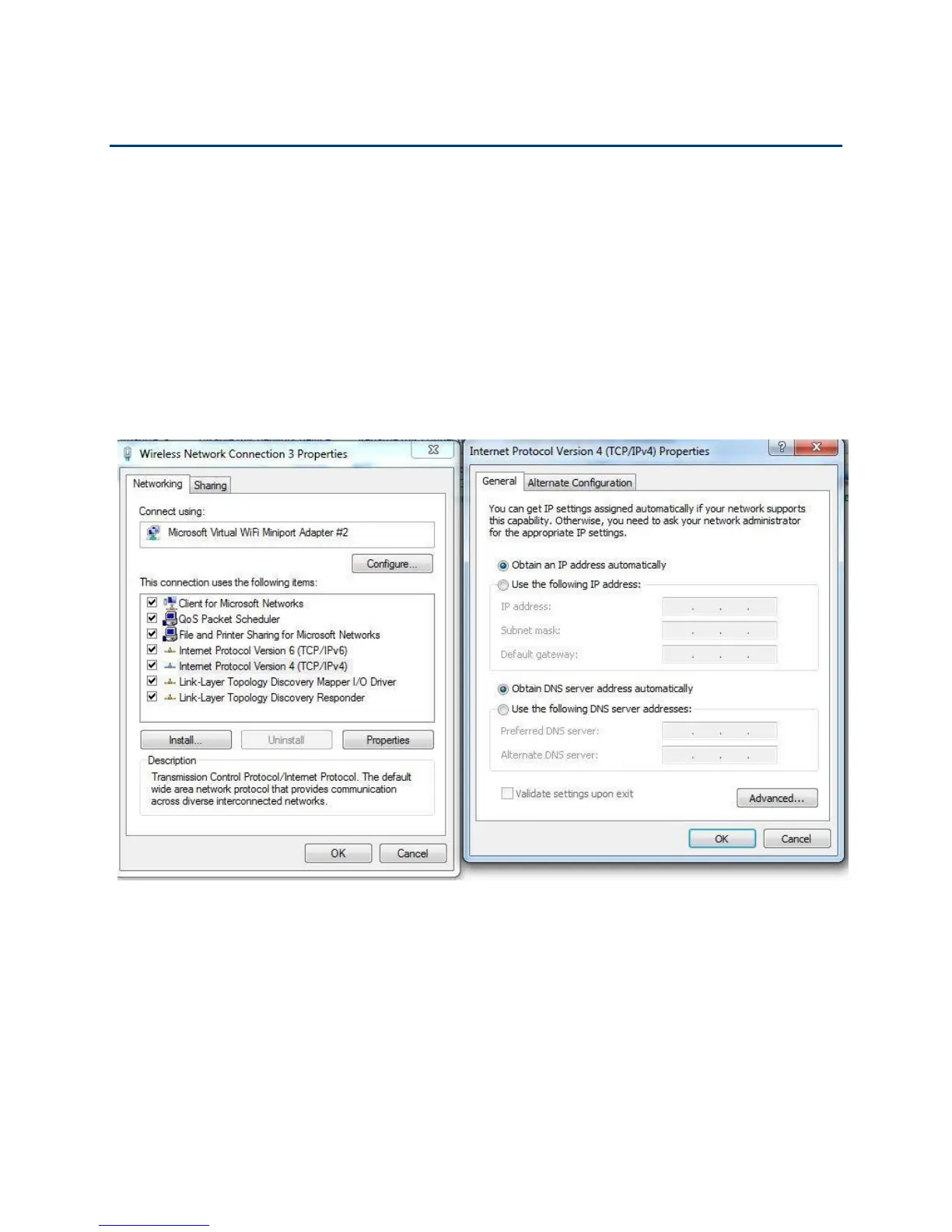
Step 3 : Right click the “network connection” that your PC uses, select “attribute” and you can see
the interface as shown in Figure 3.
Step 4.: Select
“
Internet Protocol (TCP/IP)
”
, click
“
attribute
”
button, then click the
“
Get IP address
automatically
”
.


 To Next Page