Chapter 4 Web Interface FTA5102/FTA5101 User Manual
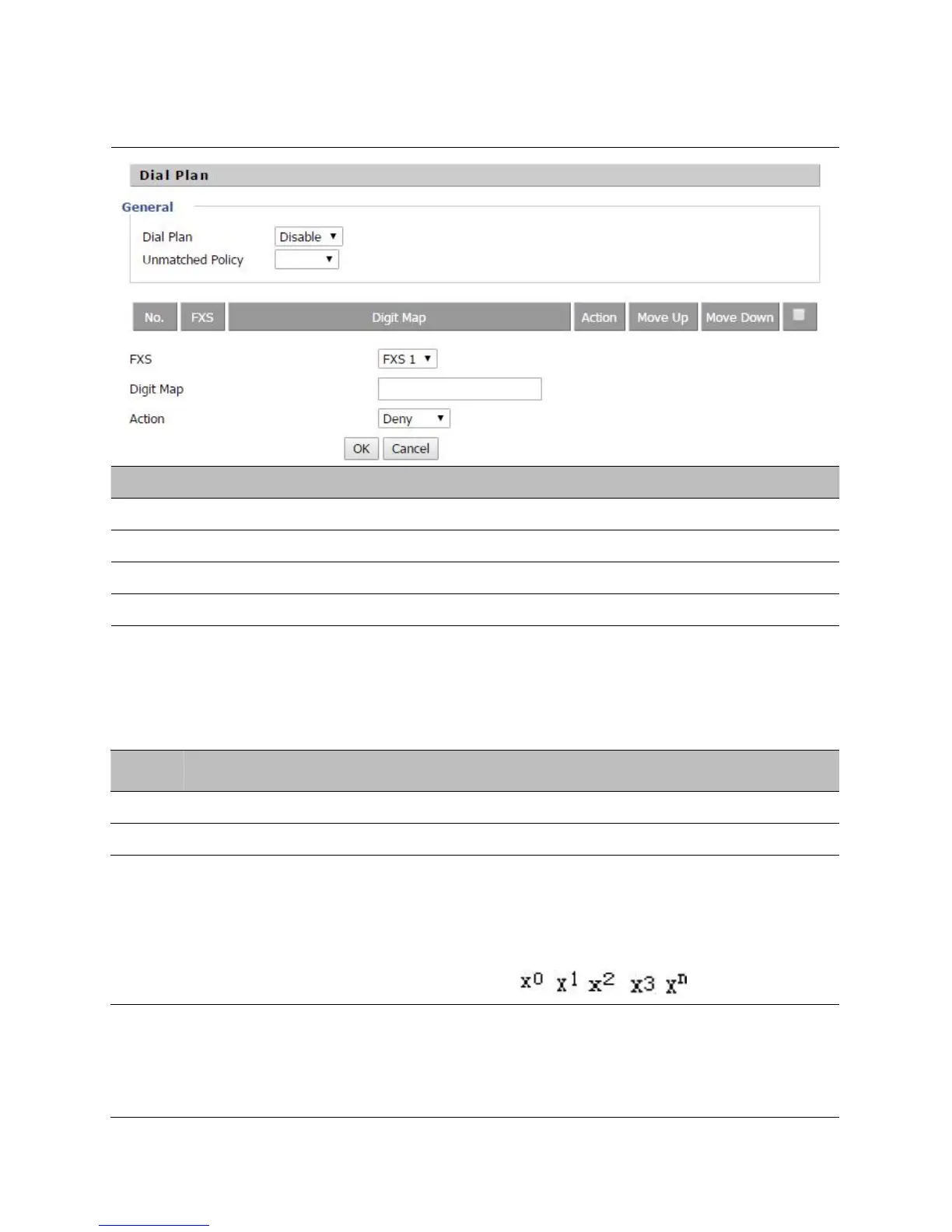
Adding one Dial Plan
Table 26 Adding one dial plan
Step 1. Enable Dial Plan.
Step 2. Click Add button, and the configuration table.
Step 3. Fill in the value of parameters.
Step 4. Press OK button to end configuration.
Dial Plan Syntactic
Table 40
Dial Plan Syntactic
Lowercase letter x stands for one legal character
To match one character form sequence. For example:
[0-9]: match one digit form 0 to 9
[23-5*]: match one character from 2 or 3 or 4 or 5 or
*
Match to , , , …...
For example:
“
01.
”
:can match
”
0
”
,
“
01
”
,
“
011
”
,
”
0111”, …….., ”01111…”



 To Next Page