Chapter 2 IVR Voice Prompt FTA5102/FTA5101 User Manual
Voice Gateway Configuration Method (IVR)
The device can be configured in two ways, as follows:
(1) Use IVR (Interactive Voice Response)
(2) the use of web pages
This chapter mainly introduces how to configure the voice gateway through IVR.
Start IVR
Users follow these steps to achieve IVR:
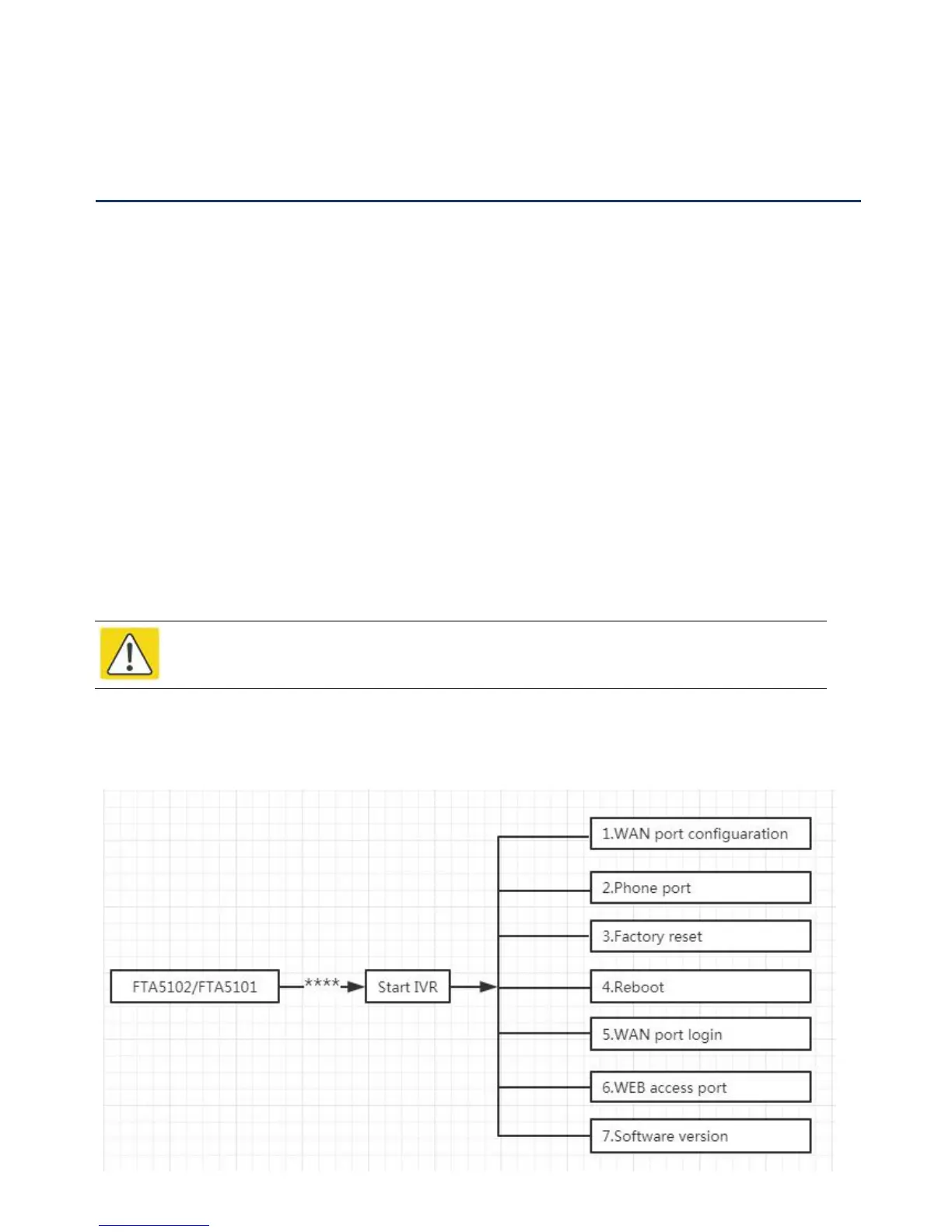
(1) Go off-hook and press the "****" key to start the IVR. Then the user will hear the voice prompt "1 WAN
port configuration...".
(2) According to different options, press any digit between 0 and 9, the device will broadcast the
corresponding content, the numbers 0 to 9 represent the details as shown in the chart below.
(3) After each setting is successful, the device will play "Please input option, 1 WAN port configuration...".
IVR Description
The following chart lists the IVR requirements and a detailed description:
Note
Before using IVR,please confirm analog phone is connected with ATA correctly.



 To Next Page