Chapter 4 Web Interface FTA5102/FTA5101 User Manual
Enable/Disable T.38 Redundancy
Enable/Disable T.38 CNG Detect
Enable/Disable gpmd attribute
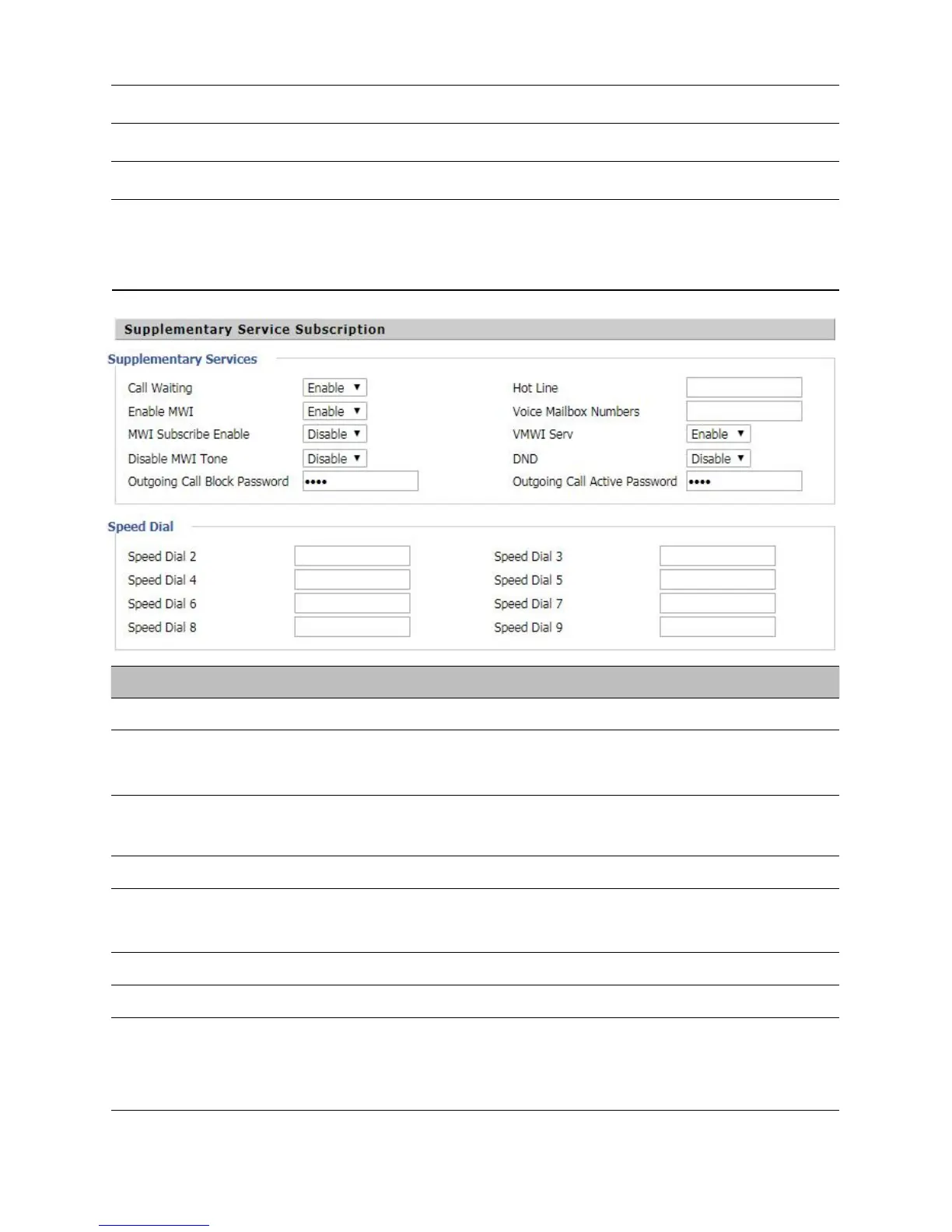
Supplementary Service Subscription
Table 32 Supplementary service
Enable/Disable Call Waiting
Fill in the hotline number,Pickup handset or press hands-free or headset button,
the device will dial out the hotline number automatically
Enable/Disable MWI (message waiting indicate). If the user needs to user voice
mail, please enable this feature
Enable/Disable MWI Subscribe
Fill in the voice mailbox phone number, Asterisk platform, for example, its default
voice mail is *97
Enable/Disable VMWI service
Enable/Disable DND (do not disturb)
Enter the speed dial phone numbers. Dial *74 to active speed dial function
Then press the speed dial numbers, for example, press 2, phone dials
075526099365 directly



 To Next Page