Chapter 4 Web Interface FTA5102/FTA5101 User Manual
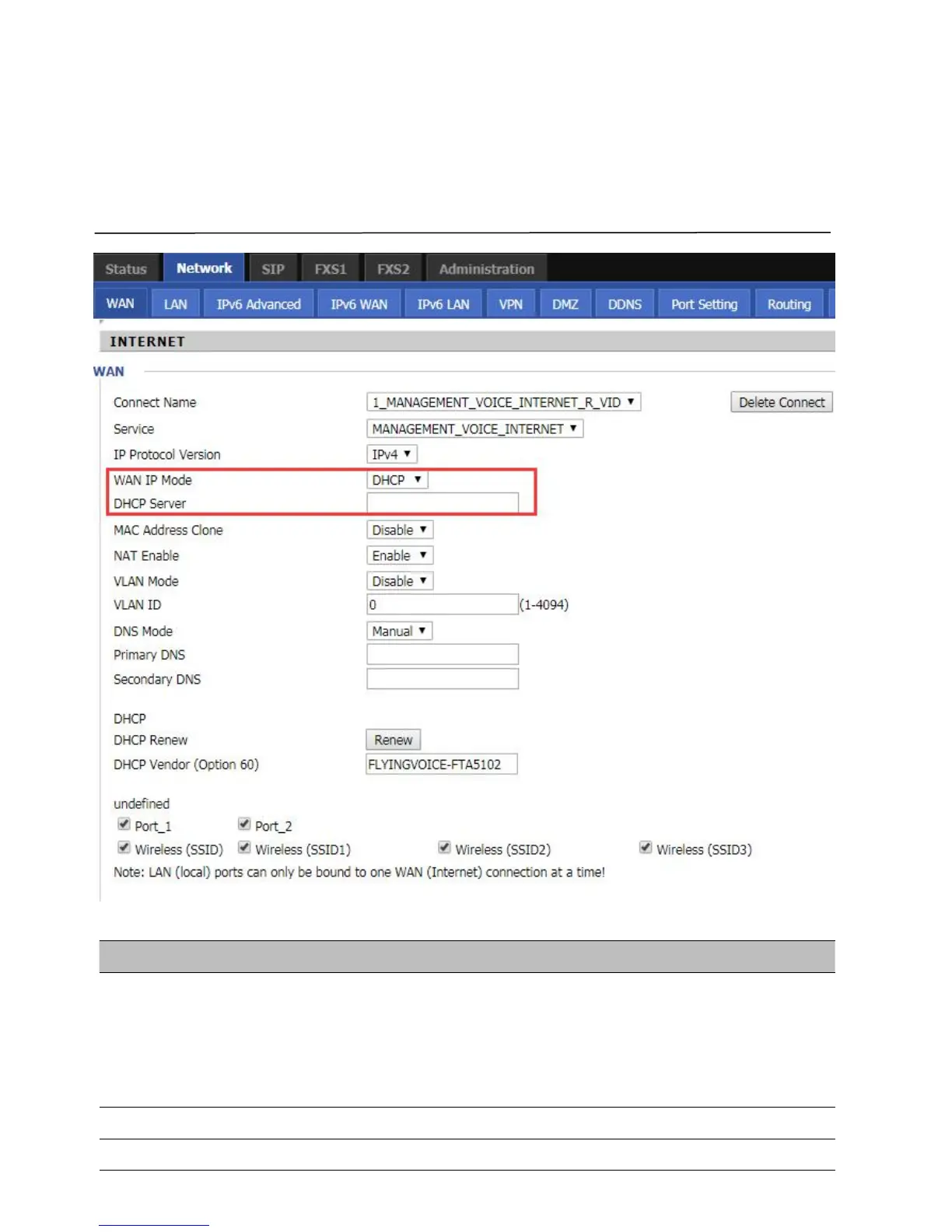
2.DHCP
The Router has a built-in DHCP server that assigns private IP address to each local client.
The DHCP feature allows to the router to obtain an IP address automatically from a DHCP server. In this case, it is
not necessary to assign an IP address to the client manually.
Table 11
DHCP
Select DNS mode, options are Auto and Manual:
When DNS mode is Auto, the device under LAN port will automatically obtain
the preferred DNS and alternate DNS.
When DNS mode is Manual, the user should manually configure the preferred
Primary DNS of Internet port.
Secondary DNS of Internet port.



 To Next Page