FT-5 User Manual Page 85
Machine
Nozzle size: The size of the nozzle being used.
Retraction
Speed (mm/s): The speed at which the filament is retracted.
Distance (mm): The distance the filament is retracted. This value can be raised if there is excessive residue during printing.
Quality (Only applicable parameters discussed)
Initial layer thickness (mm): The distance between the printer bed and the nozzle for the initial printed layer.
Speed (Only applicable parameters discussed)
Travel speed (mm/s): The speed at which the hot end moves when it’s not extruding filament.
Bottom layer speed (mm/s): The speed at which the hot end moves when printing the first layer. This value is typically set
lower than the normal print speed to ensure adhesion of the first layer.
Individual Part Settings (located at the lower right of the printer window)
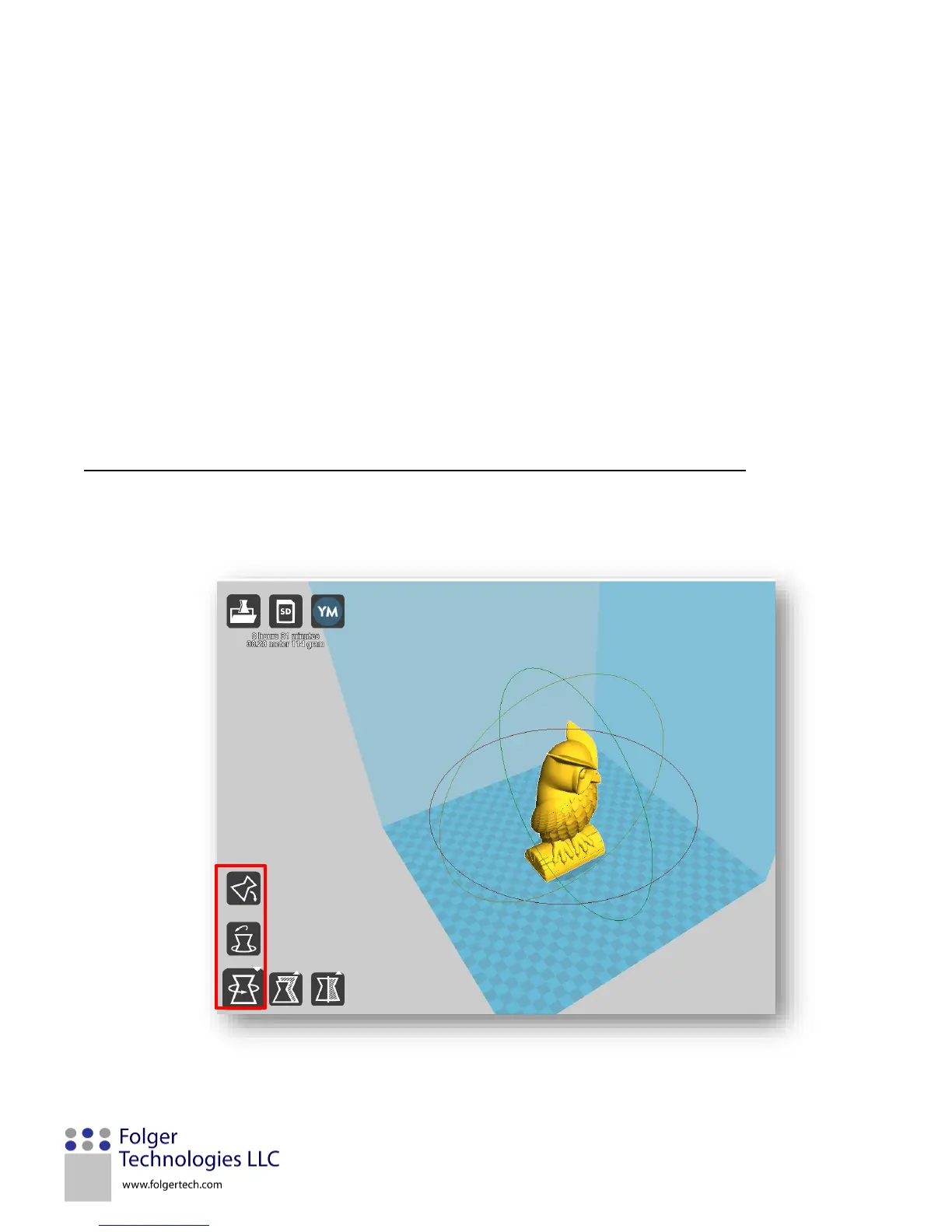
Rotate - This function allows the part to be rotated inside the printer’s workable volume. To rotate a model, click on the
rotate function in the lower left corner. Select the axis of rotation by selecting and holding the desired circle around the
part. Drag the circle to change the orientation of the part.


 To Next Page