FT-5 User Manual Page 84
Filament
Diameter (mm): This describes the diameter of the filament being used. This value should be adjusted to the standard
Folger Tech filament of 1.75 mm.
Flow (%): This describes the amount of filament being pushed through the nozzle. This value can be adjusted to optimize
the quality of the print. A typical value is between 90-100 % for your FT-5 printer. If excessive plastic is being extruded,
reduce this value by 5%.
Advanced Settings Defined
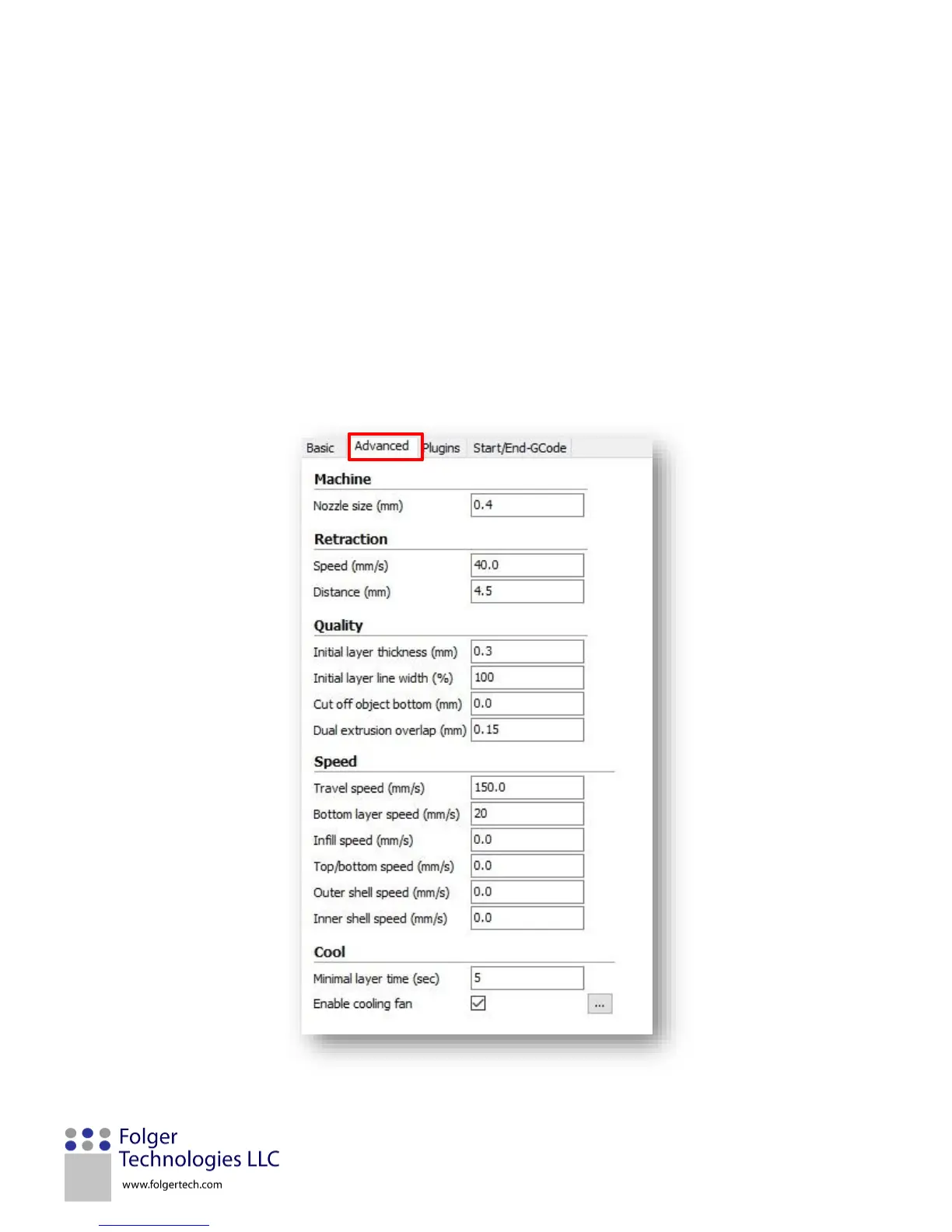
The Advanced tab parameters are printer specific and most will only need to be adjusted once. The figure below shows the
typical advanced tab settings for your FT-5 printer. A detailed explanation of each parameter can be found below in the
figure.


 To Next Page