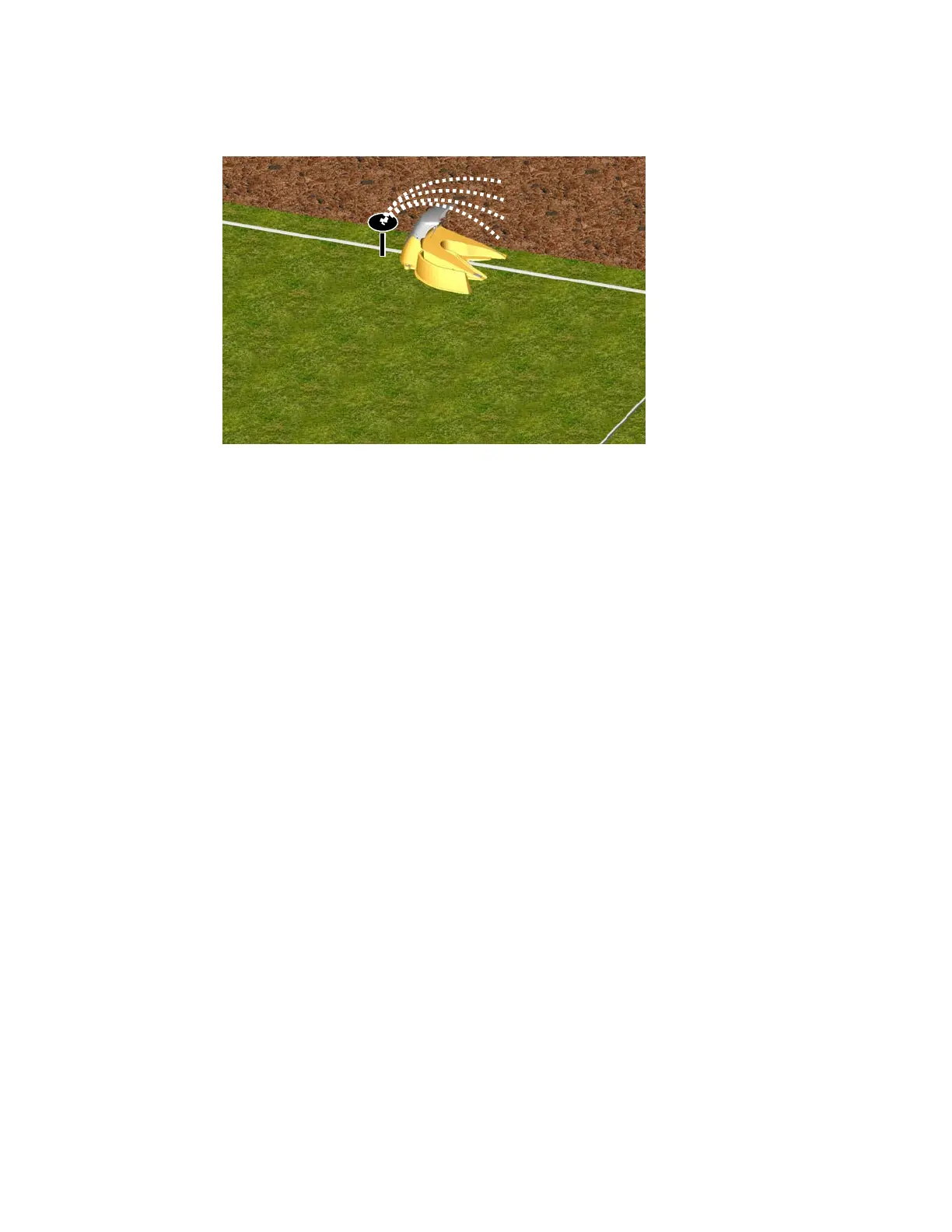
• The RoboMower is impervious to water and rain, however it is recommended to place the Charging
Station away from sprinkler heads for maximum protection. See figure 1.7
Figure 1.7 – Avoid Placement Near Water Sprinklers
Now, knowing the location of the Charging Station, you can begin to setup the Perimeter Wire in the
Charging zone.
1.3 Perimeter Wire Setup for Charging Zone and Non-Charging Zone
Note: Setup in a non-Charging zone requires a Perimeter Switch (available as an accessory - see Chapter
10 - Accessories).
The perimeter wire setup in a Charging and non-Charging zone is identical in terms of placement and
fastening. In a non-Charging zone, the perimeter wire ends will attach to the perimeter switch, where in
the Charging zone they attach to the Charging station board.
Puncture the plastic covering of the perimeter wire with your finger and feel around inside the center of the
wire spool for the end of the wire. Pull the wire end out of the plastic covering. The plastic covering is
designed as a dispenser for the wire; so do not remove the wire spool from the covering.
If an additional wire is required in order to complete the set-up, use the wire connectors to connect
between the two wire ends, as explained in chapter 9.6.
IMPORTANT: It is necessary to first read this chapter (Charging Station & Perimeter Wire Setup) before
starting to layout the Perimeter Wire, in order to be aware of all setup rules and instructions.
Starting at the location of the Perimeter Switch or the Charging Station, begin pulling the perimeter wire out
of the plastic covering as you walk along the area of the lawn you are setting up. Be sure to leave enough
wire at the beginning, where the Perimeter Switch or the Charging Station will be located. In the Charging
Station zone leave 8 inches/20cm – see figure 1.8. For Perimeter Switch (none-Charging zone) leave no
less than 5 feet (1.5 m) of wire at the beginning of the setup.
After removing enough wire within a given section, use the RoboRuler (see section 1.4) to identify the
correct placement of the wire. Initially place a minimum number of pegs to fasten the wire down. You will
want to test the proper position of the wire for the edge mowing process and you may find some areas
where you will need to move the wire position slightly. See section 2.8 for details on testing. You can lightly
insert pegs into the ground by hand to hold the wire temporarily in place before driving the pegs to the
ground level with a hammer.
15








 To Next Page