Chapter 5
Charging
5.1 Charging
Of all the areas regarding the RoboMower, proper charging of the Power Pack is second only to safety in
importance. Failure to follow the charging guidelines will result in poor performance and a short Power
Pack life. After the completion of any daily cutting session it is very important to bring the RoboMower to
its storage area and plug it into the charger as soon as possible, preferably within 6 hours from the time it
stopped. In a Charging zone, RoboMower will automatically dock and recharged at the end of the mowing
session.
The standard charger (available as an accessory – see Chapter 10) Figure 5.4 is actually an indoor power
supply, where the voltage output is DC and the current flowing to the Power Pack for re-charging is
regulated inside the mower. The Charging Station utilizes a similar type of power supply, but it is
connected to the Charging Station and is approved for outdoor use. The charging system and Power Pack
are designed such that they can remain plugged in at all times of non-use without concern to over
charging, over heating or damaging the Power Pack. In fact, it is the preferred way to maintain your Power
Pack, always keep it plugged into the Power Supply between uses. The Charging Station and the indoor
power supply will re-charge the Power Pack from the ‘Recharge Battery’ level in approximately 20 hours,
depending on conditions. There is a fast charger available as an accessory. See the accessories
available for your RoboMower in Chapter 10.
5.2 Charging through the Charging Station
The Charging Station is used as primary charging station when Charging is enabled. When the mower is
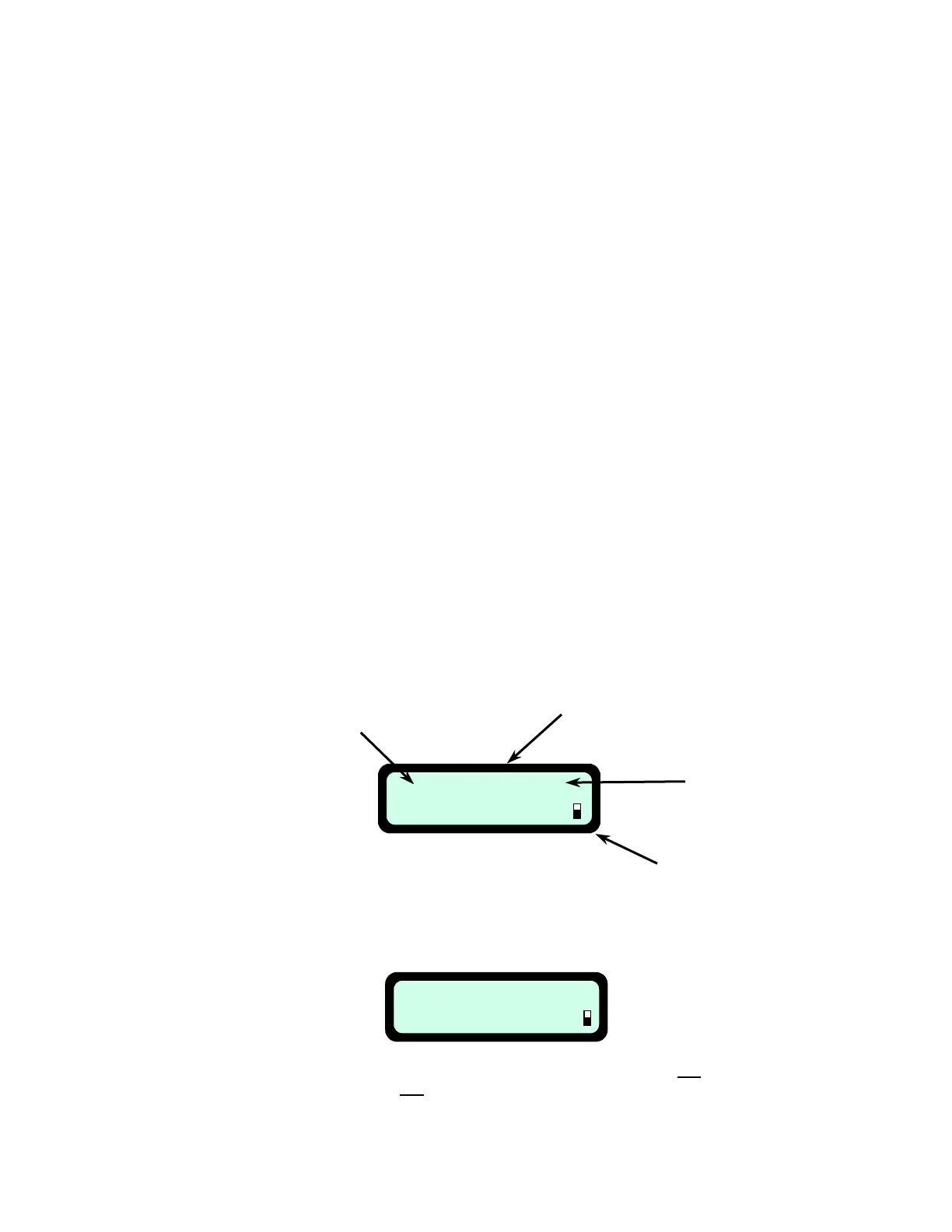
in the Charging Station the Power Pack is charged and one of the following screens is displayed:
11:28 MO 10:30 E
Press GO
Current Time
Next Scheduled Departure
(Day and Time)
Operation Mode
(‘E’ stands for Edge + Mowing of the
inner area and ‘M’ stands for Mowing
of the inner area only)
Batter
Icon
Figure 5.1 –
LCD Display on RoboMower when docked and a Weekly Program is Set
Manual Depart
Press GO
WeeklyNO LCD Display on RoboMower when docked and –.2 5Figure
the ‘Auto Depart’ function is turned off
OR Program is set
47








 To Next Page