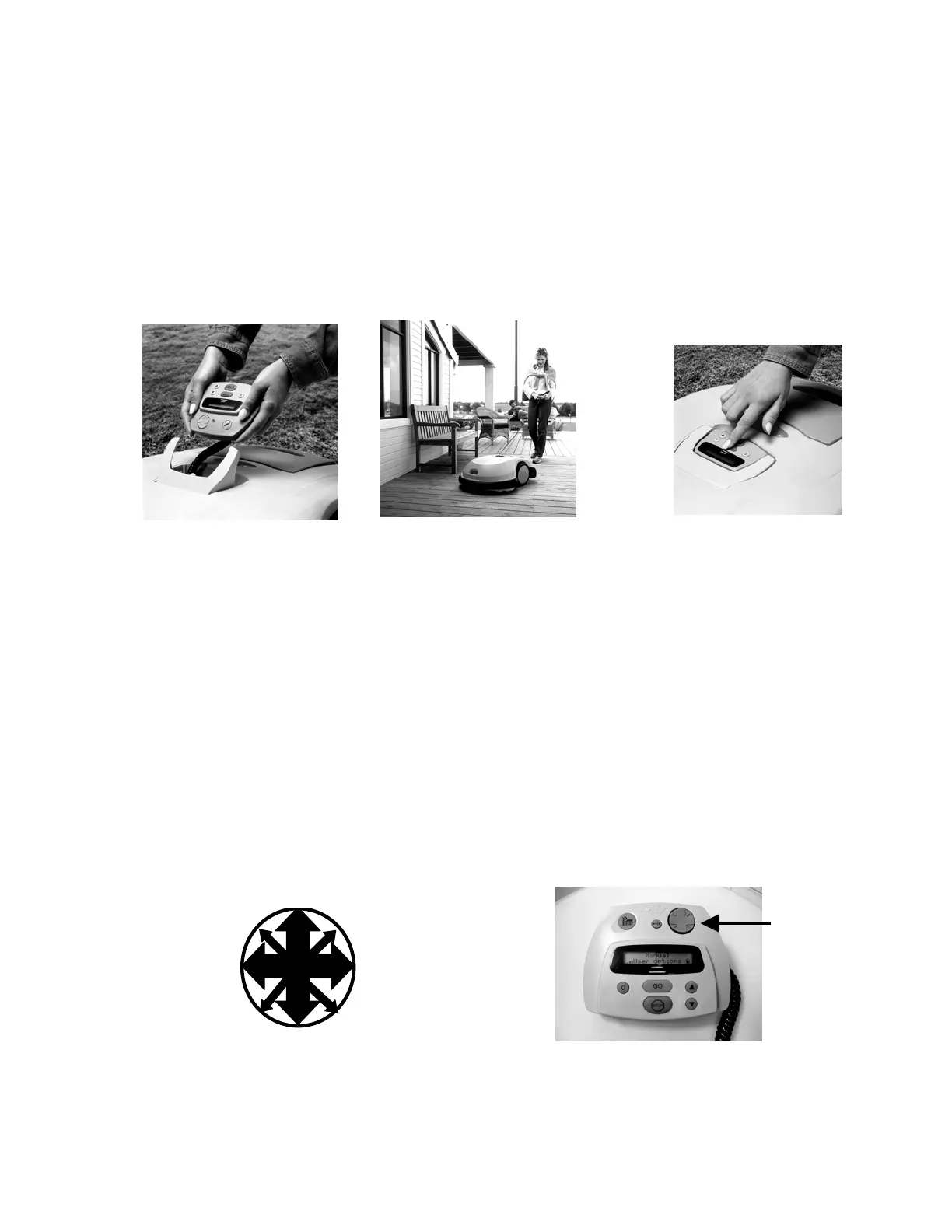
2.3 Manual and automatic operation
The RoboMower is safely designed so that operation in the manual mode is prohibited unless the
Manual Controller has been removed from its’ holder and is in the possession of the user to operate
the buttons. See Figure 2.4. The manual mode is used to primarily move/drive the RoboMower into
the lawn and to return it after mowing. It is also used for moving the RoboMower around to other
areas if needed.
As a convenience feature, the Manual Controller will also permit manual operation of the blades.
Combined with the driving function, this will allow you to do light trimming and mowing in areas where
the RoboMower cannot operate. Likewise, automatic operation is prohibited while the Manual
Controller is removed from its’ holder and in the possession of the operator. The Manual Controller
must be firmly seated into its’ holder and pivoted flush with the top of the mower before operation in
automatic can proceed. See Figure 2.5.
Manual Controller holder
pivoted down and flushes with
top of mower
Removing the Manual
Controller and using it in the
manual mode.
Driving the RoboMower using
the Manual Controller
Figure 2.4 – Manually Driving the RoboMower
2.4 Driving the RoboMower
In order to drive and move the RoboMower using the Manual Controller, place your finger in the
indention of the mower at the front left of the Manual Controller and pivot it upwards, allowing you to
grasp and remove the Manual Controller. Figure 2.3. Driving is accomplished by lightly pressing the
directional pad with your thumb or index finger in the direction you wish the RoboMower to drive. See
Figure 2.6. Forward and reverse are marked on the housing directly above and below the
corresponding arrow on the direction pad. Forward and reverse are determined from a position
standing at the rear of the mower. The RoboMower will turn left when the left arrow direction is
pressed and right when the right arrow direction is pressed. Pressing between the primary arrows in
any direction will yield a partial turning in that direction.
Figure 2.5 – Pivoting Manual
Controller Flush
Partial left
turn reverse
Partial right
turn reverse
Partial left
turn forward
Partial right
turn forward
Ri
h
Lef
Reverse
Forward
Manual Controller
directional driving p
(navigation butto
ad
n)
Figure 2.6 – Using the Navigator Button
31








 To Next Page