Test the Charging Station setup. Connect the power supply to a regular household receptacle 120
Volts AC (models outside the US use a 230 volt main power).
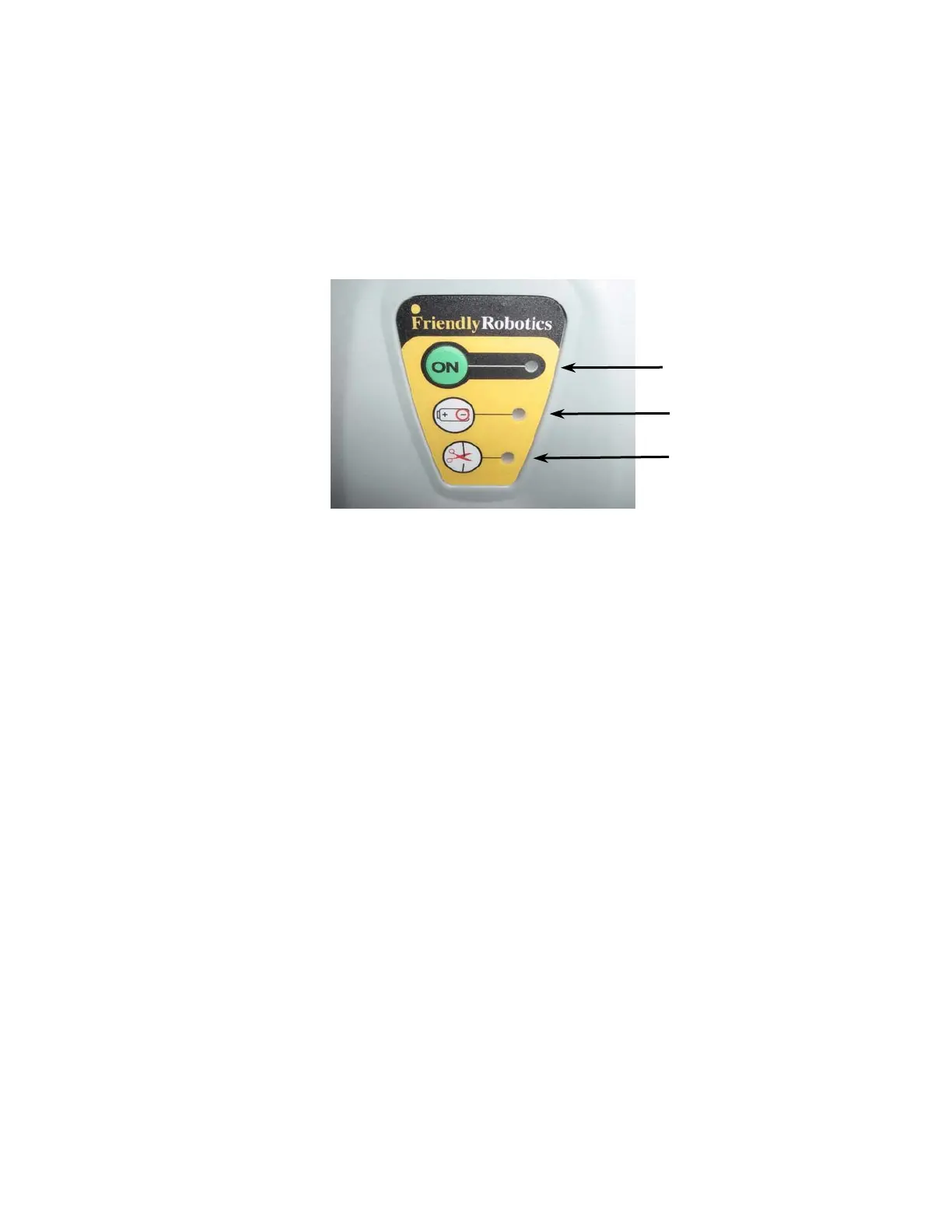
Press the ‘On’ button on the Charging Station Operation Panel.
A small flashing green light next to the ‘On’ button indicates the system is on and functioning
correctly.
The Charging Station operating panel also has indicators for charging and for a
disconnected/broken perimeter wire (Figure 1.28).
Charging indicator
Disconnected/broken
wire indicator light
ON button and
indicator light
Figure 1.28 – Charging Station Control Panel
The Charging Board has an automatic shutoff feature, eliminating the need for you to turn it off after each
use. It will shut itself off once the mower re-docks at the end of the operation.
1.15 Locating the Power Supply and Securing the Low Voltage Cable Leading to the Charging Station
The power supply is suitable for outdoor use, yet it is required placing it in a sheltered place, dry
location, which is well ventilated and not exposed to direct sunlight.
The power cable must be securely fastened to the ground to prevent a tripping hazard. The pegs
used for securing the perimeter wire can also be used to secure the power cable.
Do not cross it over surfaces where it cannot be fastened, such as sidewalks or driveways. If this
is unavoidable, contact a professional to have it placed under the surface of these areas.
For ultimate protection, consider an underground placement within a protective conduit.
25








 To Next Page