Address: Room 1705,Block A1, Longyuan Plaza, Longkouxi Road, Guangzhou, China, 510640 Website: http://www.arm9.net
Sales: +86-20-85201025 Tech Support: +86-13719442657 Fax: +86-20-85261505
Email for Business and Cooperation: capbily@163.com Email for Tech Support: dev_friendlyarm@163.com
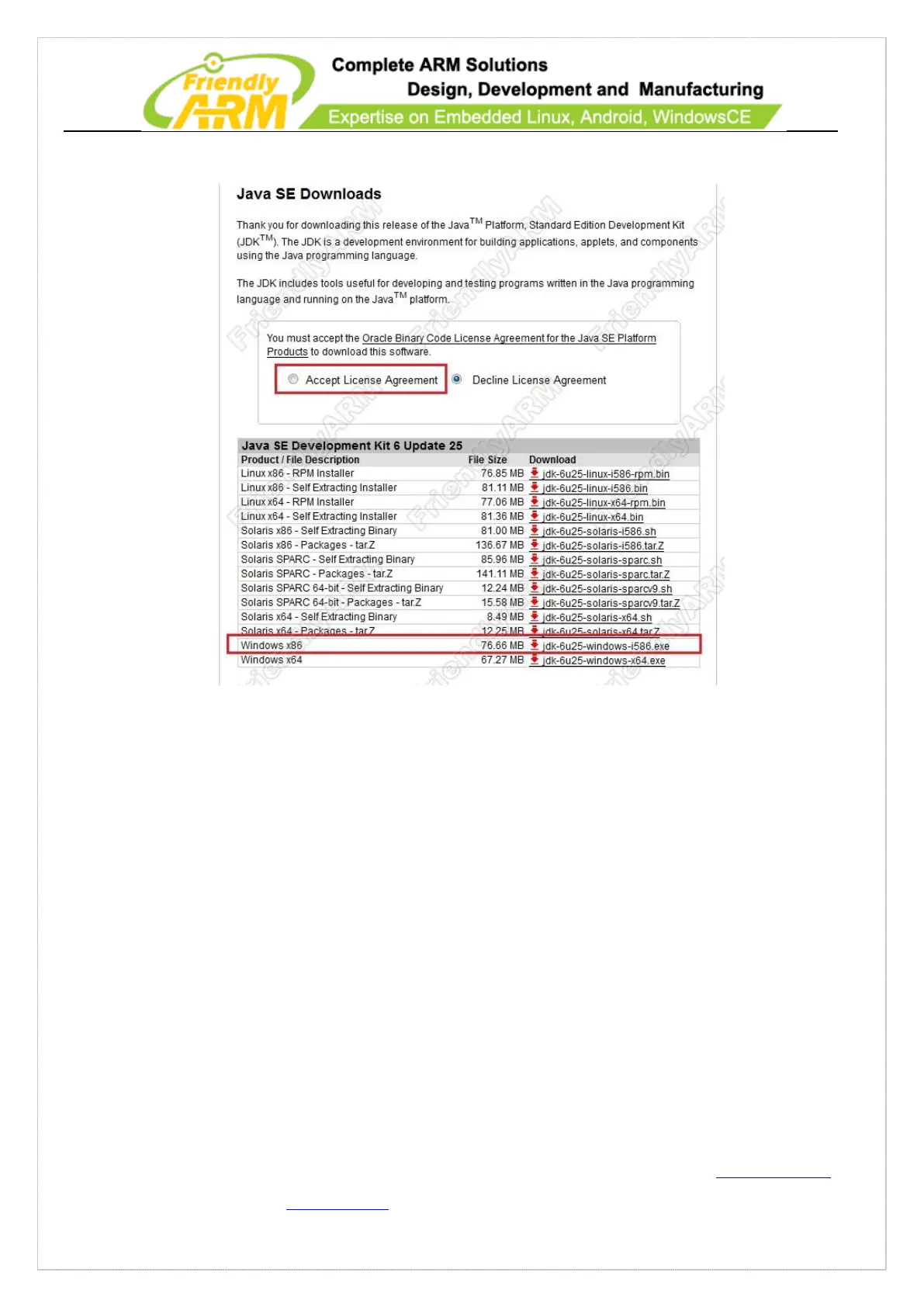
Check “Accept License Agreement”
For Windows7 32bit systems you need to select “jdk-6u25-windows-i586.exe” to
download the JDK. After download is completed, double click on it to install.
After installation is completed you need to add the JDK command path to the Path
environment variable. Please follow the steps below:
1) Right click on “My Computer” -> Property and select “Advanced System Settings”.
2) Click on “Environment Variables”
3) Find the Path variable in “System Variables”, double click on it and add
“C:\Program Files\Java\jdk1.6.0_25\;” at the beginning.
4) Click on “OK” to complete



 To Next Page