Address: Room 1705,Block A1, Longyuan Plaza, Longkouxi Road, Guangzhou, China, 510640 Website: http://www.arm9.net
Sales: +86-20-85201025 Tech Support: +86-13719442657 Fax: +86-20-85261505
Email for Business and Cooperation: capbily@163.com Email for Tech Support: dev_friendlyarm@163.com
Step4: after system burning is done you will hear two continuous beepings and the LCD
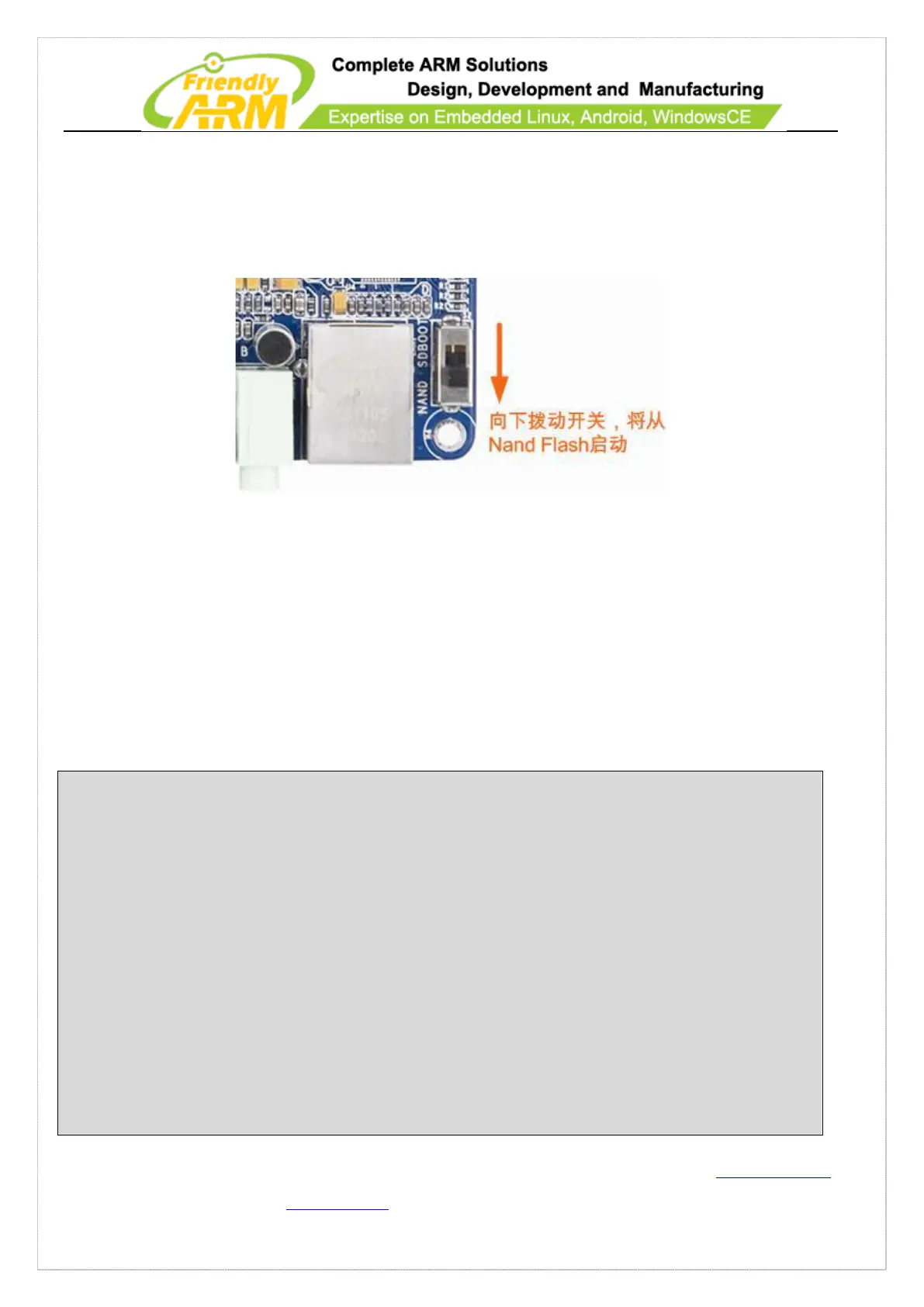
will show the burning status. Switch S2 to the Nand Flash side, reboot the system and
you will see Android loads.
9.1.2 Running WindowsCE6 from SD Card
Note: before read the following sections please burn Superboot to your SD card and
copy corresponding installation files to your card.
Step1: insert the SD card to a PC, open the “images\FriendlyARM.ini” file and modify
it as follows:
#This line cannot be removed. by FriendlyARM(www.arm9.net)
CheckOneButton=No
Action=Run
OS=CE6
VerifyNandWrite=No
low-format=No
LCD-Mode = No
LCD-Type = S70
Check CRC32=No
Status Type = Beeper| LED
################### Linux ####################
WindowsCE6-BootLoader = superboot210.bin
WindowsCE6-BootLogo = WindowsCE6\bootlogo.bmp



 To Next Page