Address: Room 1705,Block A1, Longyuan Plaza, Longkouxi Road, Guangzhou, China, 510640 Website: http://www.arm9.net
Sales: +86-20-85201025 Tech Support: +86-13719442657 Fax: +86-20-85261505
Email for Business and Cooperation: capbily@163.com Email for Tech Support: dev_friendlyarm@163.com
“Cancel” to ignore it.
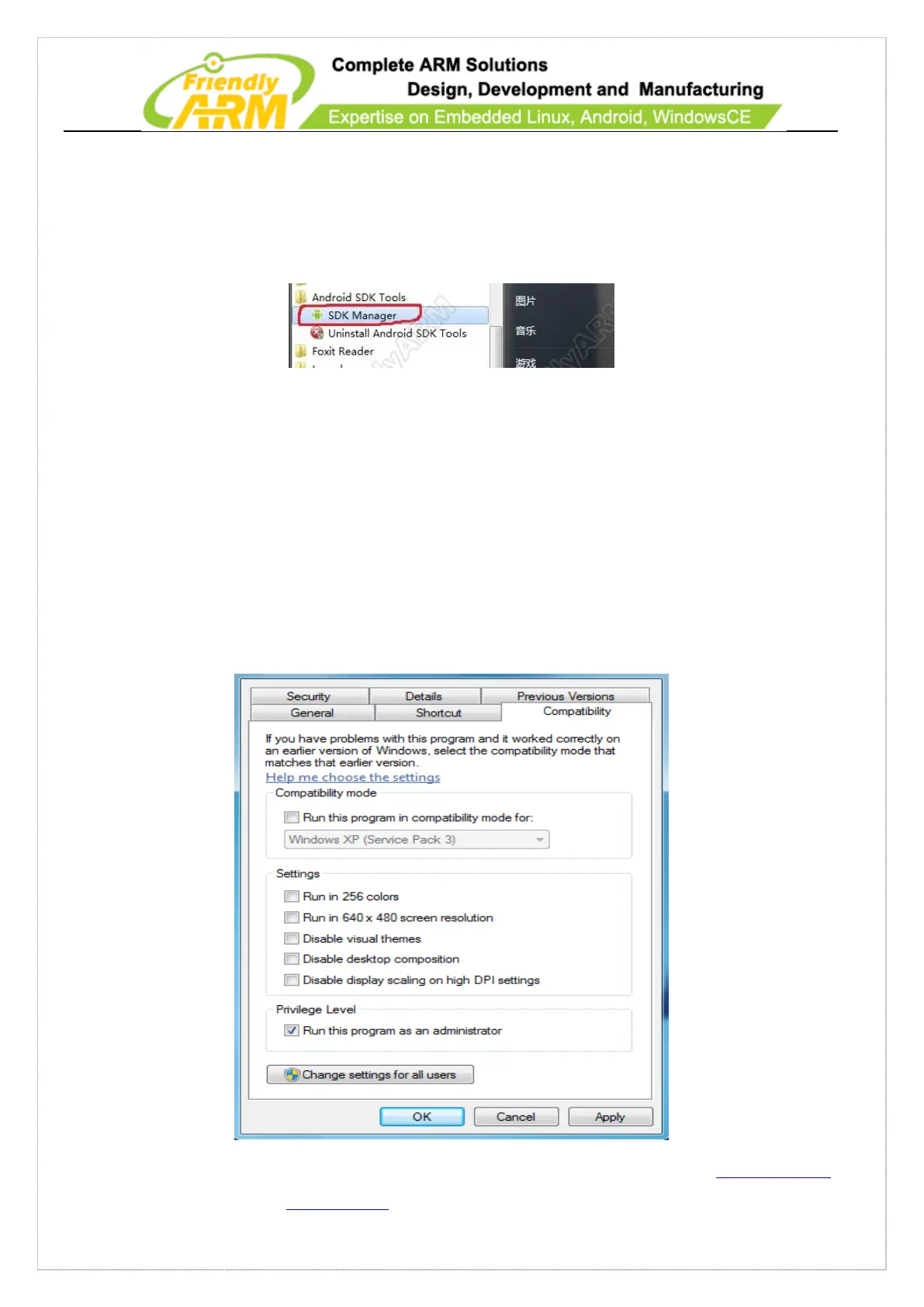
Then you can find “Android SDK Tools” in the “Start” menu and click on “SDK
Manager” to start it:
By default the SDK is installed in drive C it is better to run it as an administrator
otherwise data wrting will fail due to limited access to drive C. Please follow the steps
below to set up the SDK:
1) Right click on “SDK Manager” in the start menu and click on “Property”
2) Click on “Compability”, check “Run this program as an administrator” and click
on “OK”


 To Next Page