Address: Room 1705,Block A1, Longyuan Plaza, Longkouxi Road, Guangzhou, China, 510640 Website: http://www.arm9.net
Sales: +86-20-85201025 Tech Support: +86-13719442657 Fax: +86-20-85261505
Email for Business and Cooperation: capbily@163.com Email for Tech Support: dev_friendlyarm@163.com
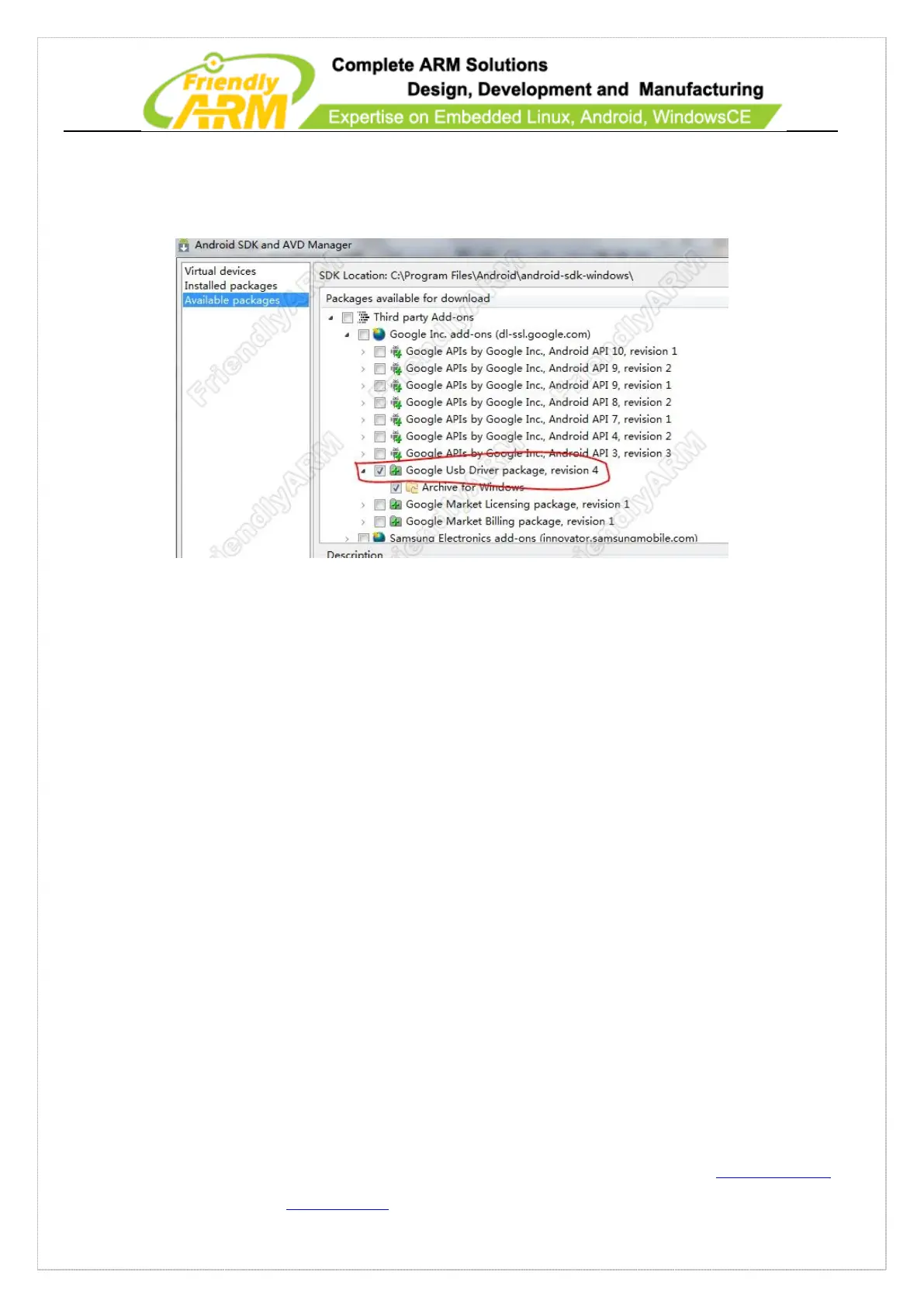
“Android SDK and AVD Manager” page, go to “Third party Add-ons” click on “>” to
expand the list and check “Google Usb Driver package” as follows:
Click on the “Install Selected” button, check “Accept All” in the “Choose Packages
to Install” dialog and click on “Install” to begin download. It may take a while.
After download is completed power on a 210 board and wait until Android fully loads.
Connec the board to your PC via the shipped MiniUSB cable you will see Windows7
prompt that it is installing the driver. Later it will show “driver installation failed” and
you can right click on “My Computer” and select “Property” you will see a S5P
OTG-USB device:



 To Next Page