Address: Room 1705,Block A1, Longyuan Plaza, Longkouxi Road, Guangzhou, China, 510640 Website: http://www.arm9.net
Sales: +86-20-85201025 Tech Support: +86-13719442657 Fax: +86-20-85261505
Email for Business and Cooperation: capbily@163.com Email for Tech Support: dev_friendlyarm@163.com
1) Right click on “My Computer” -> “Property”, on the left side click on the
“Advanced System Settings” button
2) Click on the “System Variables” button
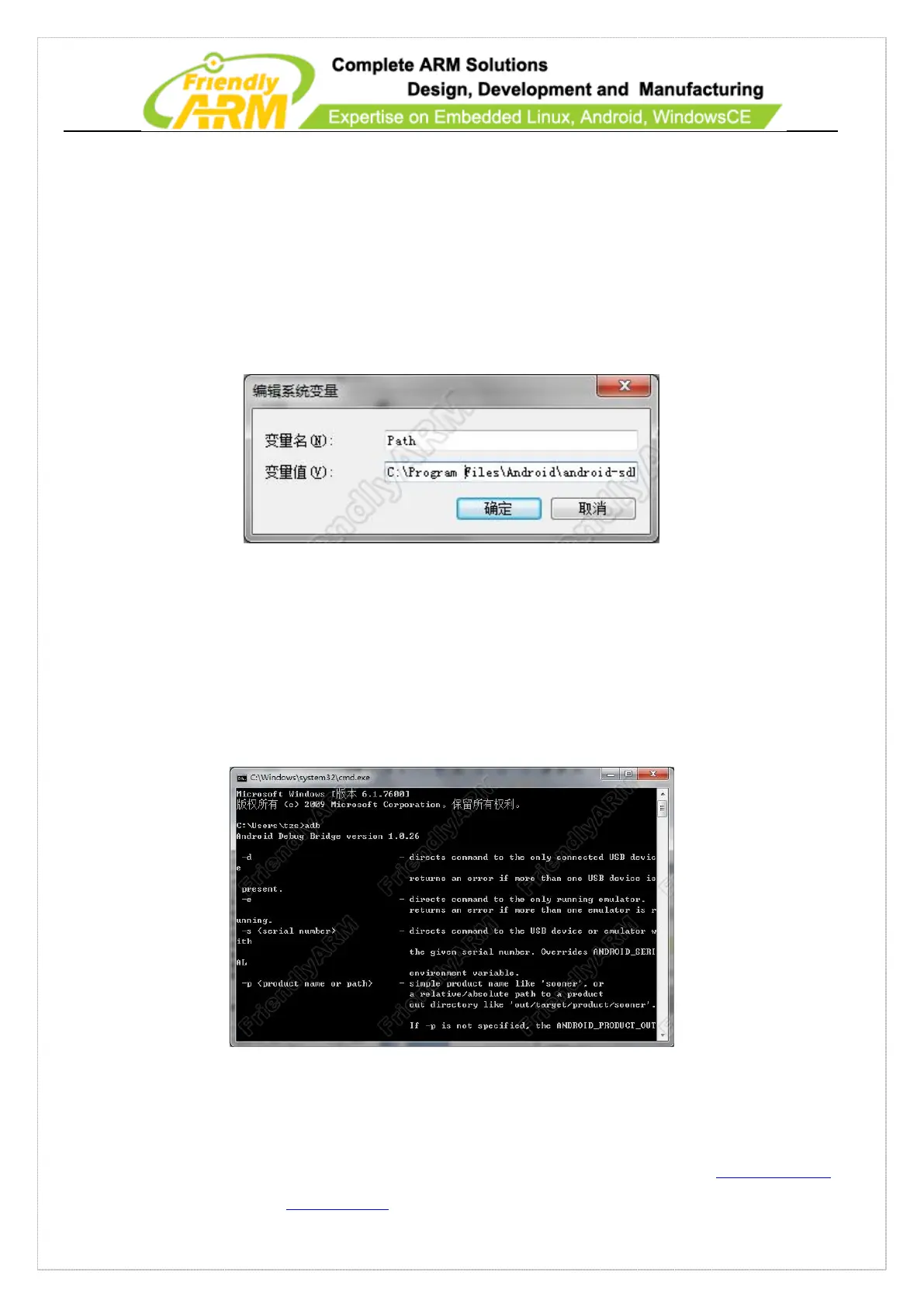
3) Go to “System Variables”, double click on the “Path” variable and add “C:\Program
Files\Android\android-sdk\platform-tools;” at the very beginning. Note: there is a “;”.
4) Click on “OK” to save the changes
Verify ADB commands
Click on the Start menu, launch the commandline utility, type “adb” and return. If it is
successfully installed you will be able to see the following information.



 To Next Page