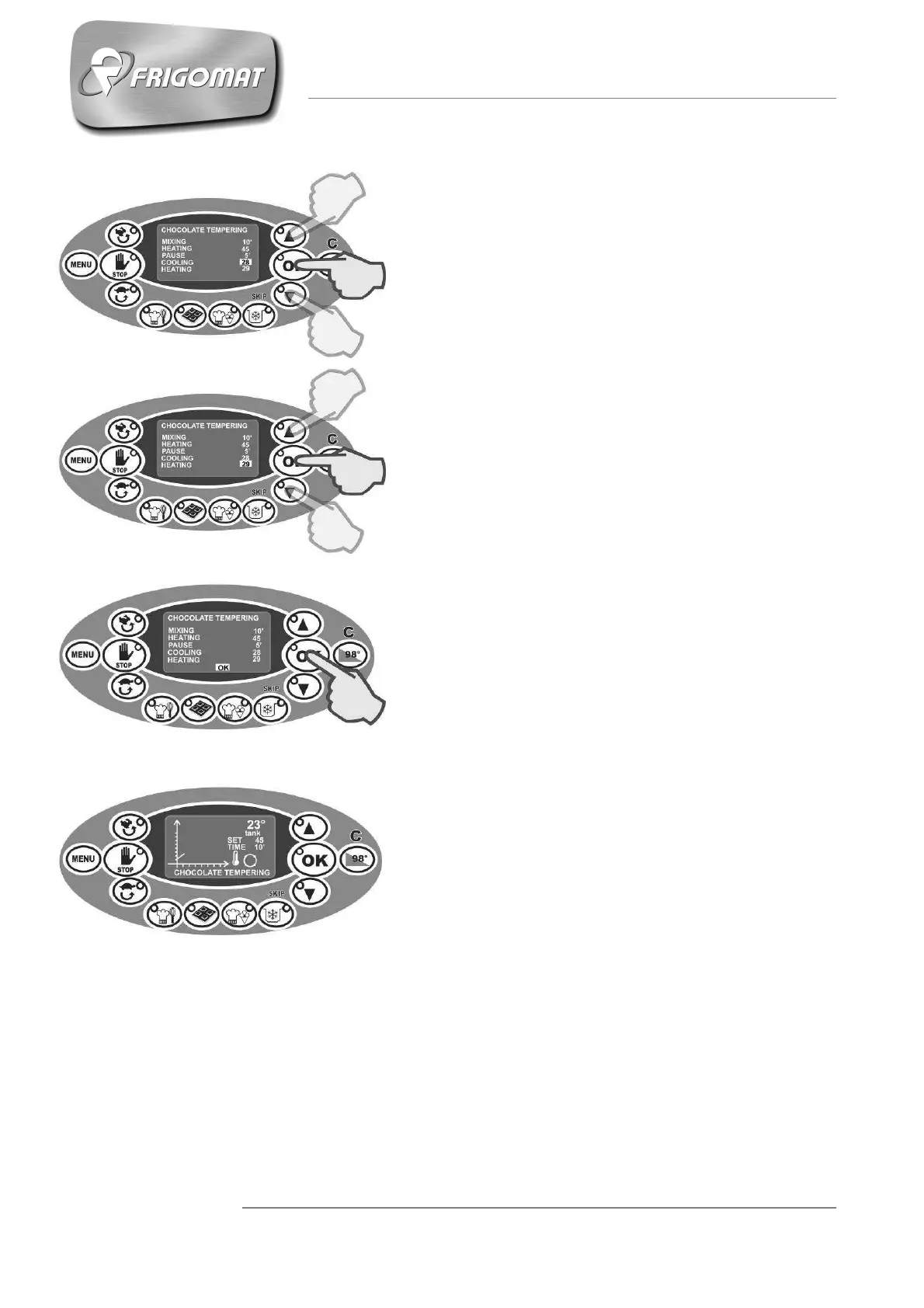
- COOLING (from 25° to 30°C)
After having programmed the stand-by time, it is
possible to set the cooling temperature of the
chocolate in the tank with mixing S2.
Press “UP” and “DOWN” keys to increase or
decrease the cooling temperature value.
Press “OK” to confirm the data and pass to
programming the next item.
- HEATING (from 25° to 33°)
After having programmed the cooling temperature,
it is possible to set the tempering maintenance
heating temperature with S2 mixing.
Press “UP” and “DOWN” keys to increase or
decrease the heating temperature value.
Press “OK” to confirm the data.
- After having programmed all parameters just
described, OK appears at the bottom of the
display: press OK to confirm that programming
has been performed correctly, store the data and
then start the cycle.
- During execution of the cycle, various messages
on the display and relative acoustic warnings
inform the operator when to add the ingredients.
- When the cycle has ended, the STORAGE phase
starts automatically at the temperature set by the
user with continuous V1 mixing and chronometer
active.











 To Next Page