Copying all or part of this manual in any way or form is prohibited without prior written consent from its author. © 2012
website: www.fromm-pack.com
16
50302501manen.f
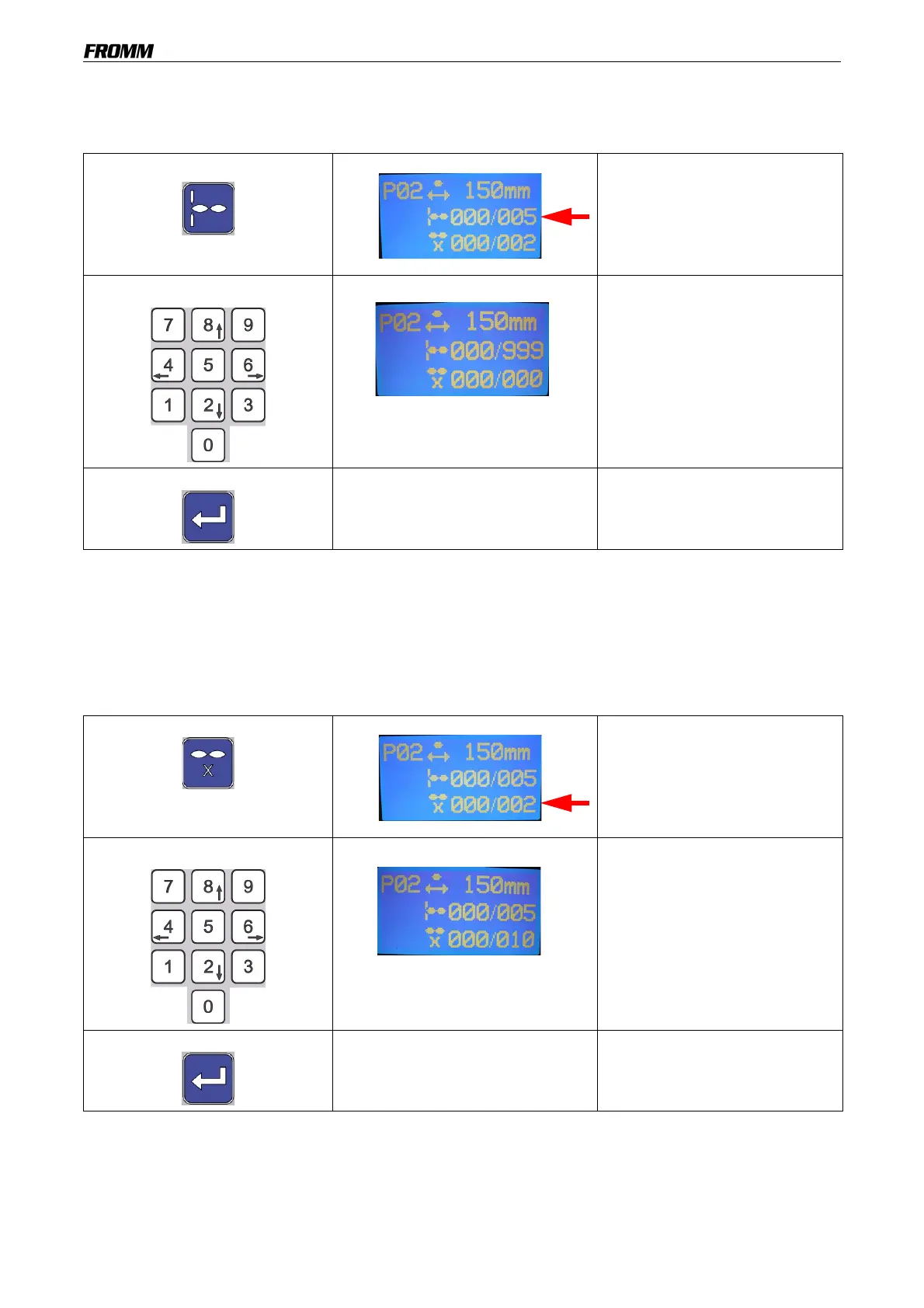
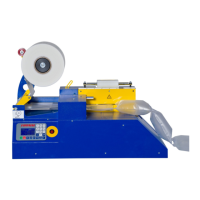
18.9 Setting the number of air pillows per mat
Caution: if 0 is selected, the air pillows will not be perforated.
This value may be modified even when the machine is in operation.
Sometimes, a single air pillow may not be produced, because the machine automatically increases the number
of air pillows (minimum of 2, 3 etc.) when air pillow length is not sufficient.
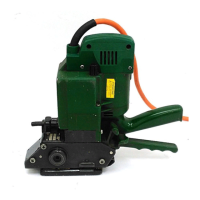
18.10Setting the number of mats
Caution: if a value of "0" is entered, a continuous, unperforated mat will be produced.
This value may be modified even when the machine is in operation.
Press the button
The right-hand value flashes.
Select a number Use the keypad to select the
number of air pillows per mat
(this number may range from 0
to 999).
The new value flashes after
being entered until confirmed.
The machine will perforate after
the number of set air pillows.
Press the button to confirm
The new value has been saved.
Press the button
The right-hand value flashes.
Select a number
Use the keypad to select the
number of mats (this number
may range from 0 to 999).
When the pre-set number has
been reached, the machine will
stop automatically.
The new value flashes after
being entered until confirmed.
Press the button to confirm
The new value has been saved.


 To Next Page