Copying all or part of this manual in any way or form is prohibited without prior written consent from its author. © 2012
website: www.fromm-pack.com
18
50302501manen.f
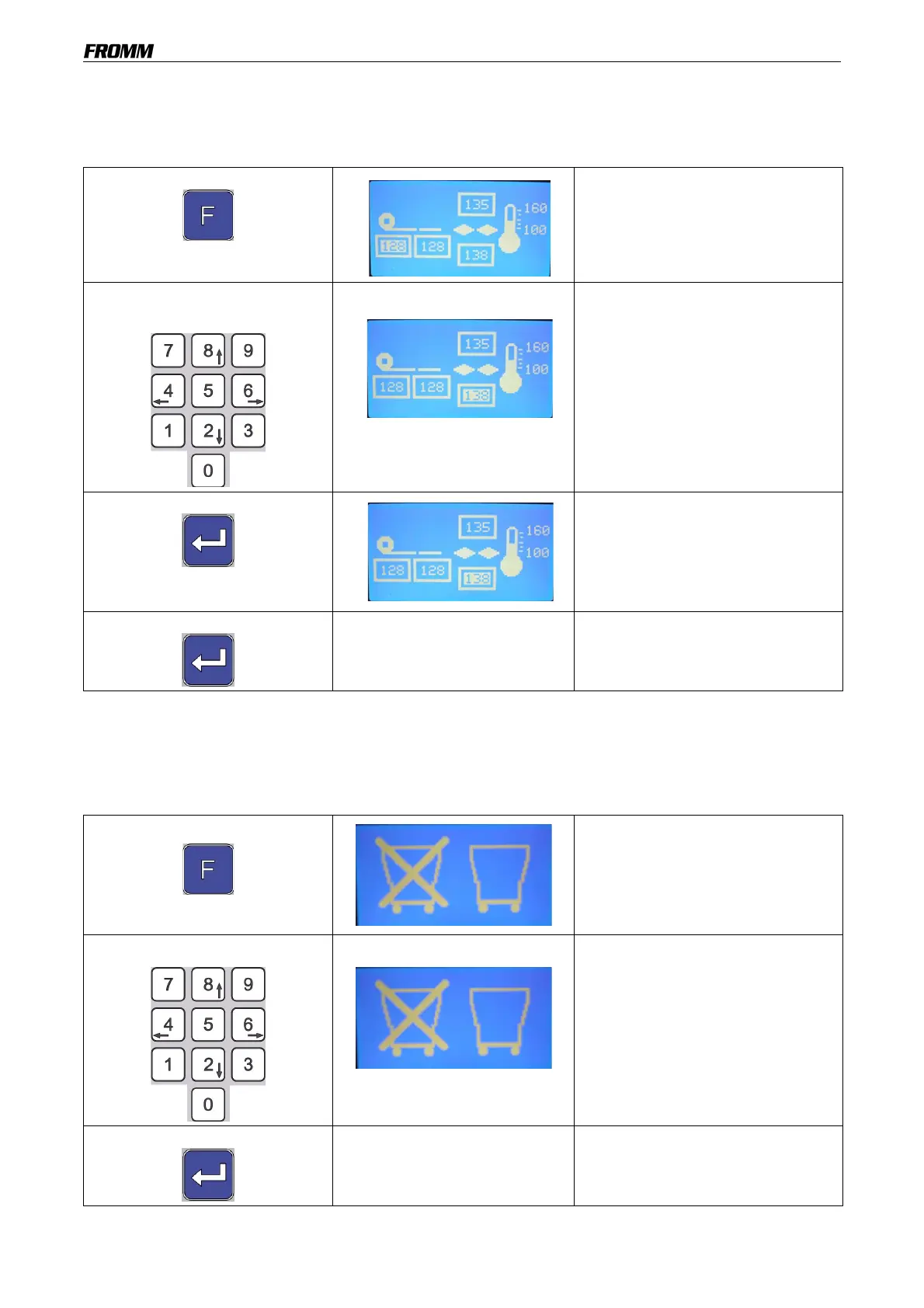
19.3 Setting the heat-sealing temperature
If during the production cycle, the heat seals on the air pillows are excessively sealed or not sealed enough, the
temperature of each individual heat-sealing jaw may be set.
This value may be modified only when the machine is stopped.
Repeat this operation for each heat-sealing jaw that must be set.
After approx. 30 seconds without changing the value, the display will automatically return to the main menu.
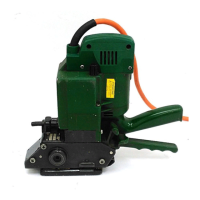
19.4 Activate/deactivate the container function
The machine plus container function may be activated or deactivated.
This value may be modified only when the machine is stopped.
After approx. 30 seconds without changing the value, the display will automatically return to the main menu.
Press the button
Then press 5
(on the keypad)
The value is highlighted.
Use the up, down, right and left
arrows
Use the up, down, right and left
arrows (on the keypad) to select the
value to be modified.
Press the button to confirm The selected value will flash.
Use the up, down arrows (on the
keypad) to change the value.
The available range is 100° from the
upper limit.
Press the button to confirm
The new value has been saved.
Press the button
Then press 6
(on the keypad)
The active function flashes.
Use the right and left arrows
Use the right and left arrows (on the
keypad) to change the function.
Press the button to confirm
The new function has been saved.


 To Next Page