Copying all or part of this manual in any way or form is prohibited without prior written consent from its author. © 2012
website: www.fromm-pack.com
20
50302501manen.f
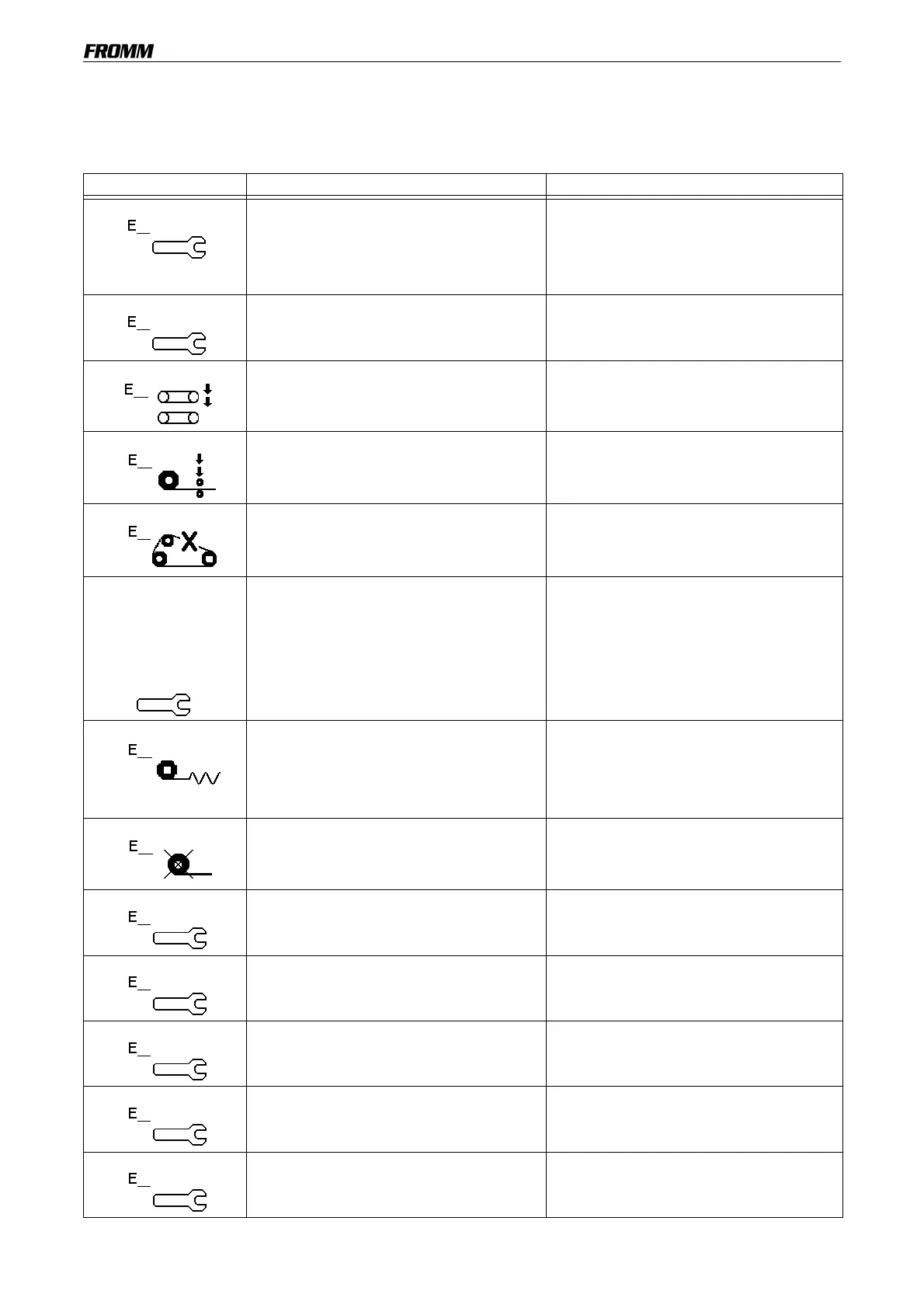
The machine also features a self-diagnosis system: sensors transmit signals to the system in the event of an
anomaly.
This system uses codes to identify anomalies. The table below contains these codes, the type of anomaly that
caused the alarm and the actions required to resolve the problem.
Code Cause Action
E1
This error appears if, during transversal heat-seal
movement, the ID5 signal appears, but the ID8
sensor is not reached within 3 seconds.
This check is always performed when the operating
cycle involves transversal movement in the bottom
position, for sensor ID8.
Check the sensor and its connection to the main
board.
Check the position of the cam.
E2
If sensor ID8 is ON, sensor ID5 must also be ON.
If sensor ID8 is ON, but sensor ID5 is not, this error
appears.
Check the sensor and its connection to the main
board.
Check the position of the cam.
E3
The lateral heat-seal unit is open. Close the lateral heat-seal unit using the lever.
E4
The film transport roller is too high. Close the roller using the lever.
If this problem persists, use the manual keys to
advance the film.
E5
One of the 2 Teflon belts is worn or ruptured. Replace the faulty belt.
For convenience, replace both belts at the same
time.
E6
When the machine is
turned on, this message is
displayed for 20 seconds
providing the telephone
number for Technical
Assistance.
The counter indicates that the machine has
attained the pre-set number of air pillows, and that
consequently, the machine requires servicing.
Call the number on the display to contact Technical
Assistance.
E7
Film is jammed, or film is not cut. Check that the film was cut centrally on the pillow.
The pillow may be jammed in the transversal heat-
sealing unit. Manually remove the jammed pillow.
Manually feed the film.
If this problem persists, contact Technical
Assistance.
E8
Out of film.
The roll of film is used.
Replace the roll of film and load it onto the
machine.
E9
Check machine temperature.
Upper longitudinal heat-sealing.
Call Technical Assistance and indicate the error
number.
E10
Check machine temperature.
Lower longitudinal heat-sealing.
Call Technical Assistance and indicate the error
number.
E11
Check machine temperature.
Front transversal heat-sealing.
.
Call Technical Assistance and indicate the error
number.
E12
Check machine temperature.
Rear transversal heat-sealing.
Call Technical Assistance and indicate the error
number.
E13
Check transversal lifting unit. Call Technical Assistance and indicate the error
number.


 To Next Page