32
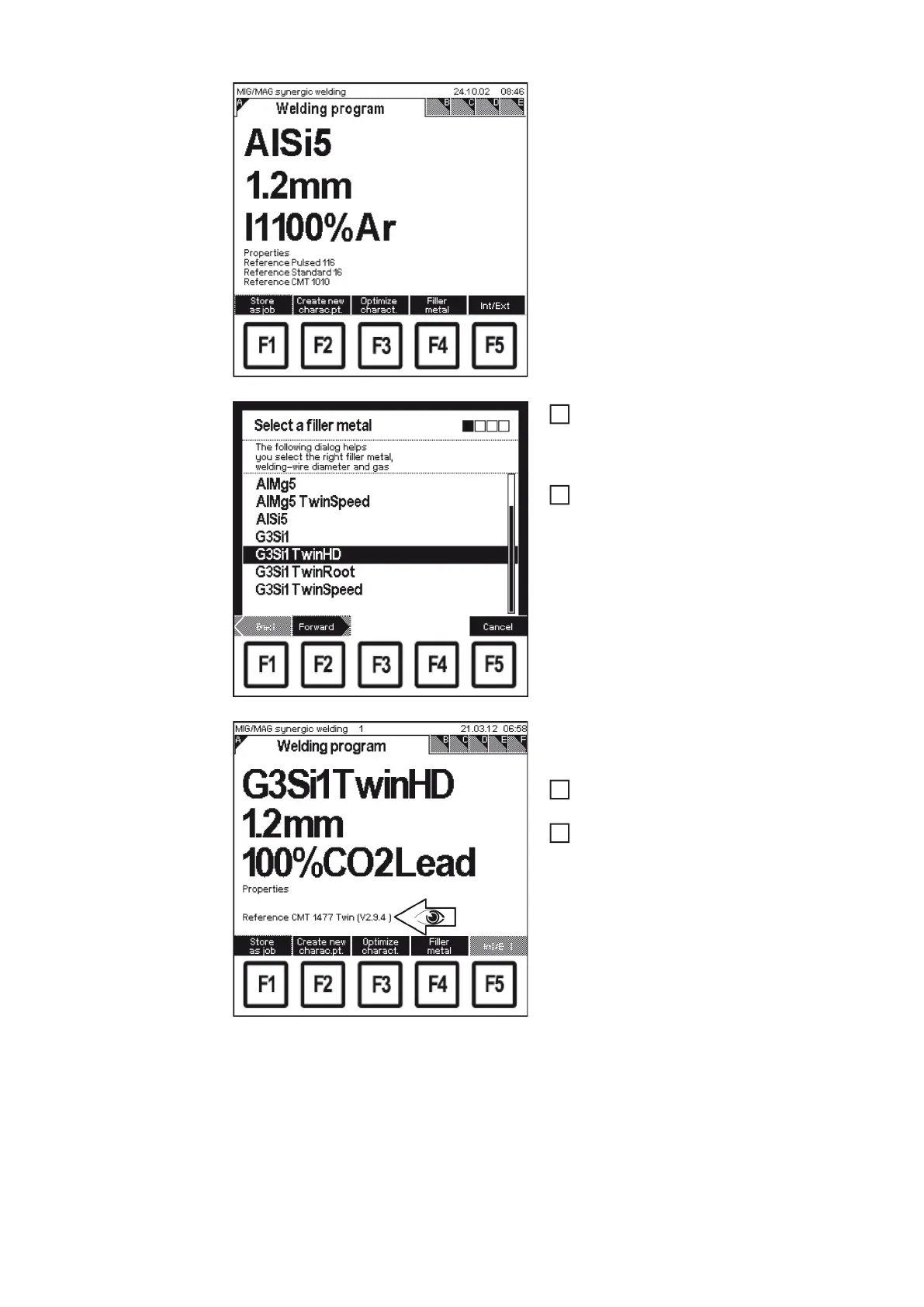
- The last "Data" screen called up appe-
ars
In the relevant "Data" screen, press F4
"Filler metal"
- The 1st screen in the wizard appe-
ars ("Select a filler metal")
Apply the desired CMT Twin settings
depending on the application
- The "Welding program" screen is dis-
played again once the relevant settings
have been made
Check that characteristics version
V2.9.4 or higher is displayed
If not, update the RCU 5000i firmware
3
4
5
6








 To Next Page