EasyManua.ls Logo

Fronius TPS 270i C - User Manual

Fronius TPS 270i C
152 pages
Print Icon
To Next Page IconTo Next Page
Loading...
Fronius prints on elemental chlorine free paper (ECF) sourced from certified sustainable forests (FSC).
/ Perfect Charging / Perfect Welding / Solar Energy
42,0426,0206,EN 010-12122019
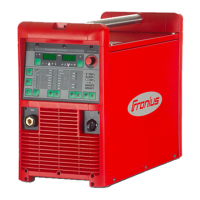
TPS 270i C
Operating Instructions
MIG/MAG Power source
EN

Table of Contents

Other manuals for Fronius TPS 270i C

Questions and Answers

  • A
    amber06Aug 14, 2025
    Why does my Fronius Portable Generator produce poor weld properties?
    • K
      Kelly MorrisonAug 14, 2025
      Poor weld properties in your Fronius Portable Generator setup can stem from several factors. You might have incorrect welding parameters, so double-check your settings. Ensure a solid grounding connection to your workpiece. Inspect your protective gas shield for adequacy, checking the pressure regulator, gas hose, and solenoid valve. The welding torch could be leaking, or the contact tip might be wrong or worn. Also, verify that you're using the correct wire alloy and diameter, and that your shielding gas is appropriate for the wire alloy.
  • R
    Robert ReyesAug 17, 2025
    What to do if my Fronius Portable Generator has no protective gas shield?
    • D
      David Torres Jr.Aug 17, 2025
      If your Fronius Portable Generator isn't providing a protective gas shield, start by checking if the gas cylinder is empty and change it if necessary. Inspect the gas pressure regulator; if faulty, replace it. Make sure the gas hose is properly connected, not damaged, and free of kinks. A faulty welding torch or gas solenoid valve could also be the culprit, so consider replacing them.
  • A
    ashley53Aug 20, 2025
    Why is there no welding current from my Fronius Portable Generator?
    • S
      shelia62Aug 20, 2025
      If your Fronius Portable Generator isn't producing welding current, it could be due to several reasons. First, check if you've exceeded the duty cycle, causing an overload. Another possibility is that the thermostatic cut-out system has tripped; in this case, wait for the power source to automatically restart after the cooling phase. Ensure that the cooling-air ducts are accessible to allow proper ventilation. Finally, a faulty fan in the power source could be the issue, which would require After-Sales Service to replace.
  • M
    marksalinasAug 25, 2025
    How to troubleshoot a Fronius Portable Generator power source that does not function?
    • G
      George RobinsonAug 25, 2025
      If your Fronius Portable Generator power source isn't functioning, begin by inspecting the mains lead for any breaks and ensure the mains plug is securely plugged in. Check for faulty components like the mains socket or plug, and replace them if necessary. Also, examine the mains fuse and replace it if it's faulty. A short circuit on the 24 V supply of the SpeedNet connection socket or external sensor could also be the problem; unplug any connected components to resolve this.
  • M
    Mark BrownAug 27, 2025
    What causes irregular wire feed speed in a Fronius Portable Generator?
    • W
      williamsdaltonAug 27, 2025
      Irregular wire feed speed in your Fronius Portable Generator can occur for several reasons. The braking force might be set too high, so try loosening the brake. Check if the hole in the contact tip is too narrow and use a suitable contact tip. Inspect the inner liner in the welding torch for kinks or dirt. Ensure the feed rollers are appropriate for the wire electrode you're using and optimize the contact pressure of the feed rollers.
  • E
    Elizabeth LopezAug 30, 2025
    What should I check if my Fronius Portable Generator has no welding current?
    • D
      David HaasAug 30, 2025
      If you're experiencing a lack of welding current with your Fronius Portable Generator, first verify that the grounding (earthing) connection and terminal have the correct polarity. Also, inspect the current cable in the welding torch for any breaks, and replace the welding torch if necessary.
  • L
    Lauren WalkerSep 2, 2025
    What to do if nothing happens when I press the torch trigger on my Fronius Portable Generator?
    • C
      Charles ReynoldsSep 3, 2025
      If nothing happens when you press the torch trigger on your Fronius Portable Generator, first ensure that the control plug is properly plugged in. If it is, the welding torch or its control line might be faulty, requiring you to replace the welding torch.
  • B
    bwilliamsSep 6, 2025
    Why is the welding torch of my Fronius Portable Generator becoming very hot?
    • V
      vfieldsSep 6, 2025
      If the welding torch of your Fronius Portable Generator is overheating, ensure that the welding torch specification is adequate by observing the duty cycle and loading limits. Additionally, if you are using a water-cooled machine, verify adequate coolant flow by checking the coolant fill level, coolant flow, and for any coolant contamination.
  • T
    Tyler PetersonSep 10, 2025
    How to solve wire feed problems with Fronius Portable Generator when using long hosepacks?
    • F
      Frank StephensSep 10, 2025
      If you're experiencing wire feed problems with your Fronius Portable Generator when using long hosepacks, ensure the hosepack is arranged as straight as possible, avoiding tight bends.

Summary

Safety Rules

Understanding Safety Notices

Explains danger, warning, caution, and note indicators used throughout the manual.

General Safety and Proper Use

Covers device's intended use, operator qualifications, and environmental conditions.

Electrical Safety and Risks

Details mains connection, protective devices, and risks from welding current.

Hazard Identification and Mitigation

Addresses toxic gases, sparks, EMF, EMC, shielding gas dangers, and installation safety.

Operational Safety and Maintenance

Outlines safety during operation, maintenance, and inspection procedures.

General Information

Device Overview and Functionality

Details the device concept, functional principle, and application areas of the TPS 270i C.

Warning Notices on the Device

Explains the meaning and arrangement of various warning notices and safety symbols on the device.

Welding Processes and Characteristics

Describes available welding packages, characteristics, and different welding processes.

System Components and Options

Lists and describes optional system components and their functionalities for the power source.

Controls, Connections, and Mechanical Components

Control Panel Layout and Functions

Details the functions of all buttons, dials, and indicators on the control panel.

Parameter Display and Special Functions

Covers displaying parameter text, F1/F2 functions, and managing favorite settings.

Device Connections and Mechanical Components

Identifies and describes the front, rear, and side connections and mechanical parts of the power source.

Installation and Commissioning

Required Equipment and Pre-Installation Checks

Lists required equipment and covers pre-installation checks and safety warnings.

Mains Cable Connection

Provides detailed instructions for connecting the mains power cable, including safety precautions.

Physical Setup and Wire Feed

Guides through gas cylinder/torch connection, ground connection, feed rollers, spools, wire feeding, and brake adjustment.

R;L Alignment

Recommends and outlines the procedure for R/L alignment for optimal performance.

Welding

MIG;MAG Welding Modes

Explains different MIG/MAG modes (2-step, 4-step, special) and their parameters.

MIG;MAG and CMT Welding Operations

Covers switching on, selecting processes, setting filler metal, parameters, and gas flow.

Welding Parameters for Specific Processes

Details specific welding parameters for MIG/MAG pulse, CMT, PMC, standard synergic, and LSC welding.

Specialized Welding Procedures

Instructions for Spot, TIG, and MMA welding processes.

Setup Settings

Setup Menu Navigation

Instructions on accessing, exiting, and navigating the setup menu structure.

Process Parameter Configuration

Details numerous parameters for welding start/end, gas, process control, electrode setup, SynchroPulse, and process mix.

System Settings and Management

Covers units, standards, display, favorites, system data, language, keylock, and JobMaster settings.

Troubleshooting and Maintenance

Error Menu and General Troubleshooting

Explains error menu navigation and provides common causes and remedies for operational issues.

Care, Maintenance, and Firmware Updates

Outlines routine care, maintenance tasks, and firmware updates for the power source.

Technical Data

Duty Cycle Explanation

Defines duty cycle and explains how ambient temperature affects it.

Technical Specifications

Lists detailed technical data for various TPS 270i C models, including voltages, currents, dimensions, and speeds.

Fronius TPS 270i C Specifications

General IconGeneral
Input Voltage3 x 400 V
Output Current270 A
Welding Current Range10 - 270 A
Rated Welding Current270 A
Protection ClassIP 23
Efficiency85 %
Duty Cycle60 %

Related product manuals