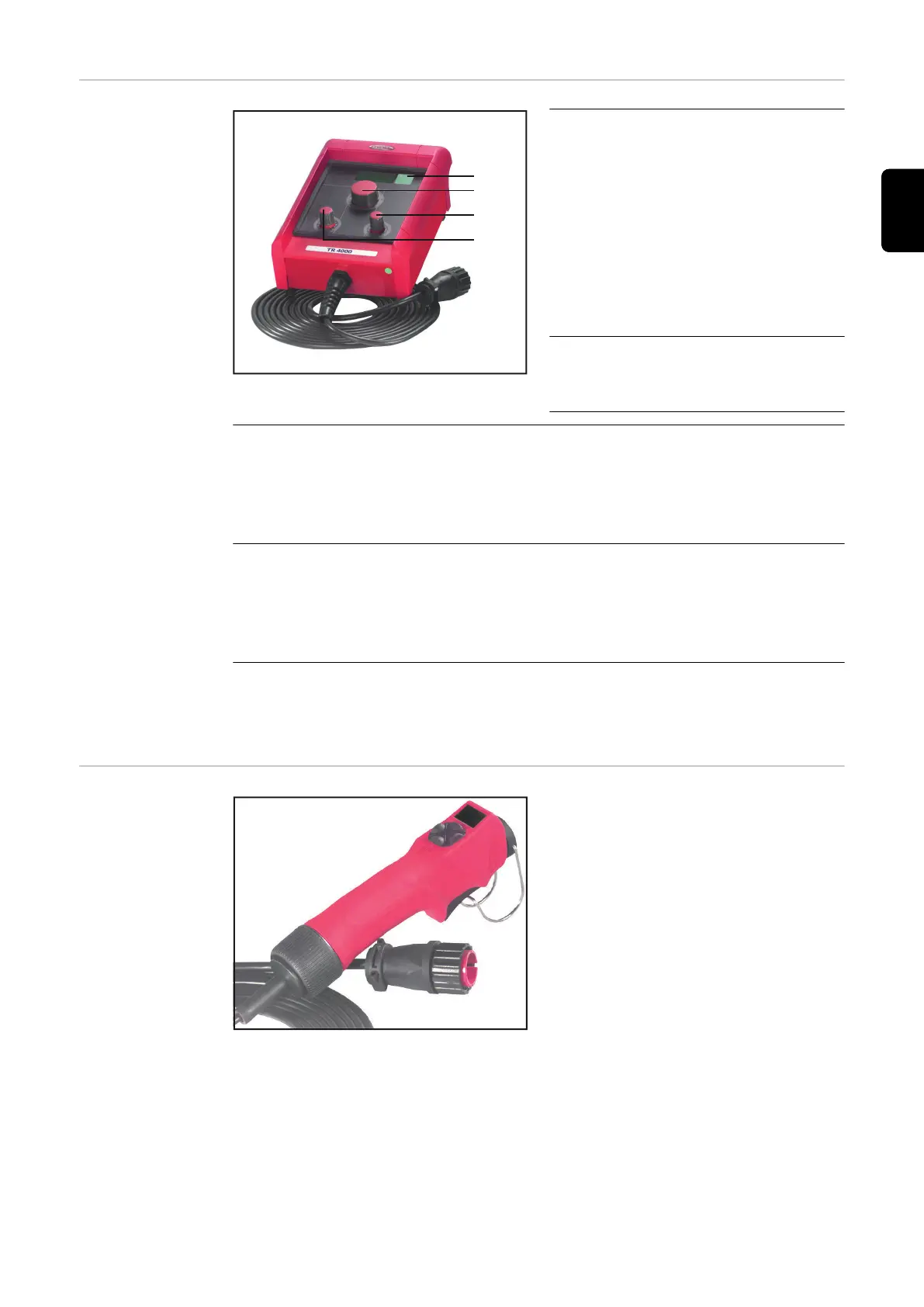
TR 4000 remote
control
TR 4000 remote control
(1) Parameter switchover button
For selecting and displaying the
welding voltage and welding
current parameters on the digi-
tal display
When changing a parameter,
the parameter value appears
briefly on the digital display of
the remote control so that it
can be verified.
(2) Welding current adjuster
For selecting the welding cur-
rent
(3) HotStart adjuster
Manual metal arc welding ... influences the welding current during the
ignition phase
0 no influence
10 100% increase in the welding current during the ignition phase
(4) Arc-force dynamic adjuster
Manual metal arc welding ... for influencing the short-circuiting amperage
at the instant of droplet transfer
0 soft, low-spatter arc
100 harder, more stable arc
IMPORTANT! Parameters which can be adjusted on the remote control cannot
be altered on the power source. These parameters can only be altered on the re-
mote control.
TR 1000 / TR
1100 remote
control
TR 1000 remote control
79
EN




 To Next Page