LOV
™
Generation II Technical Reference
15
Cooking With Multi-Product Display
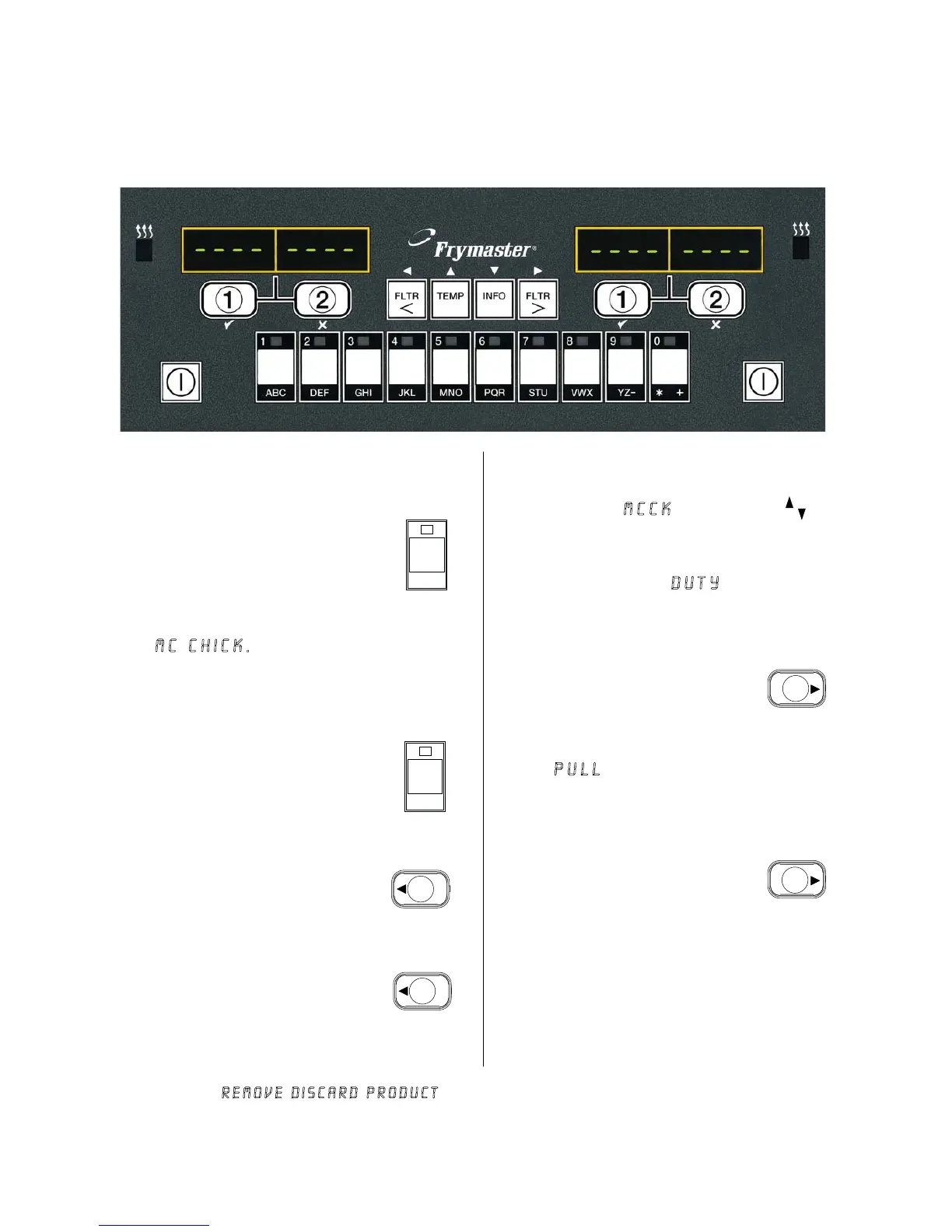
Press a product
button.
Vat with appropriate
setpoint displays:
MC CHICK. Skip
to step 5.
If a duty is required for
this menu item
, duty is
displayed when it is time
to perform a duty, such
as shake.
dut
Pull is displayed
when the cook time
is complete; an
alarm sounds.
pull
Mc chick
Press a cook channel
button to begin cook
cycle.
1
2
3
4
5
6
7
8
9
Vat with inappropriate
setpoint displays:
<<<<>>>>
1
Display alternates
between MCCK and
remaining cook time
.
Dashed lines appear
in both displays.
- - - - - - - -
Dashed lines reappear
under active display at
the end of the cook
cycle.
- - - - - - -
Press cook
channel button
under duty display
to cancel alarm.
10
Mc c
2:3
Press cook
channel button
under pull display
to cancel alarm.
11
McCK
2
2
McCK
<<<<>>>>
1
If this occurs, change
setpoint by pressing the
button assigned to the
product. When the
chevrons appear,
immediately press and
hold the cook button
until a beep is heard
(approximately three
seconds) and then
release it.
NOTE:
If error Remove Discard Product
appears, press the cook channel button
under the message to cancel alarm and
remove error message.














 To Next Page