PAG.
17
rev 1.1
ENGLISH
4. Press the [Yellow] button to show the EPG information in
24 hours time.
5. Press the [Green] button to show again the EPG information
from the last 24 hours.
6. To close the EPG menu press [Exit].
2.13. FAVOURITES
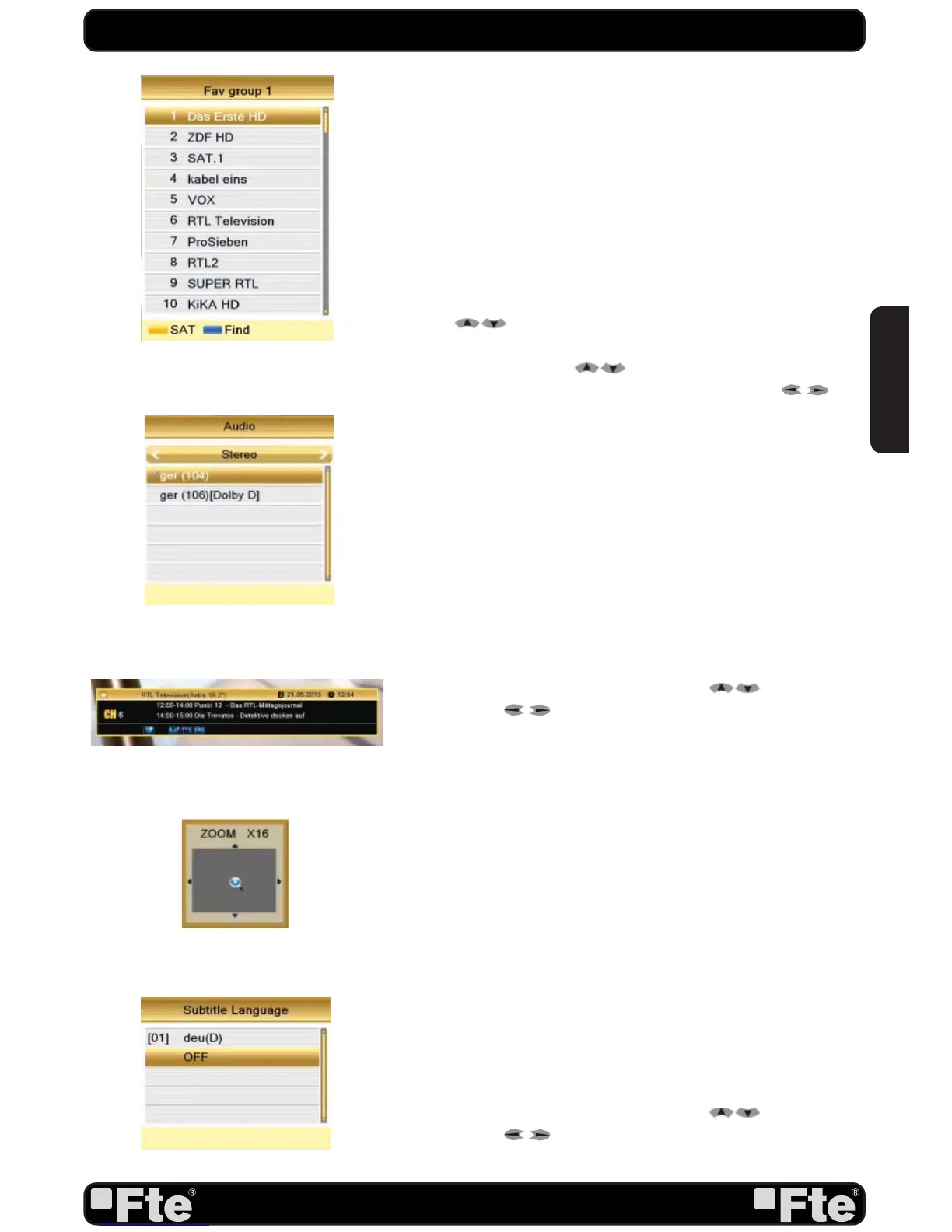
1. In TV mode press the [FAV] button to display the Favourite
Group window on the screen as the picture beside shows (OSD
7).
2. With [
] you can select different Favourite Group.
3. In the Favourite Group window you can select the desired
favourite channel with [
] and confirm it with [OK] to
switch to it. In bigger groups you can navigate with [
].
4. Press [Exit] to close the Favourite Group window.
? FREQUENTLY ASKED QUESTION
Q: Why the screen displays “No Favourite Channel” after
pressing the [Favourite] button?
A: No channels have been assigned to a Favourite Group yet.
You can do this in the channel menu.
2.14. AUDIO TRACK / MODE
1. In TV mode, press the [Audio] button to open the Audio
Mode window (OSD 8).
2. Select the item you want to adjust with [
] and change
the value with [
].
3. Press [Exit] to leave this window.
2.15. INFORMATION
In TV mode, press [Info] button can open information screen
(OSD 9), in the window shows the parameters of current
channel.
2.16. ZOOM
1. Press [Zoom] button in TV mode to zoom the image. Image
can be augmented x16 times (OSD 10).
2. Press [Exit] to exit this function.
2.17. SUBTITLES
1. In TV mode, press [Sub] button to open the Subtitle Mode
window (OSD 11).
2. Select the item you want to adjust with [
] and change
the value with [
] depending on the provider information.
3. Press [Exit] to leave this window.
BASIC OPERATIONS
OSD 7
OSD 8
OSD 9
OSD 11
OSD 10


 To Next Page