PAG.
9
rev 1.1
ENGLISH
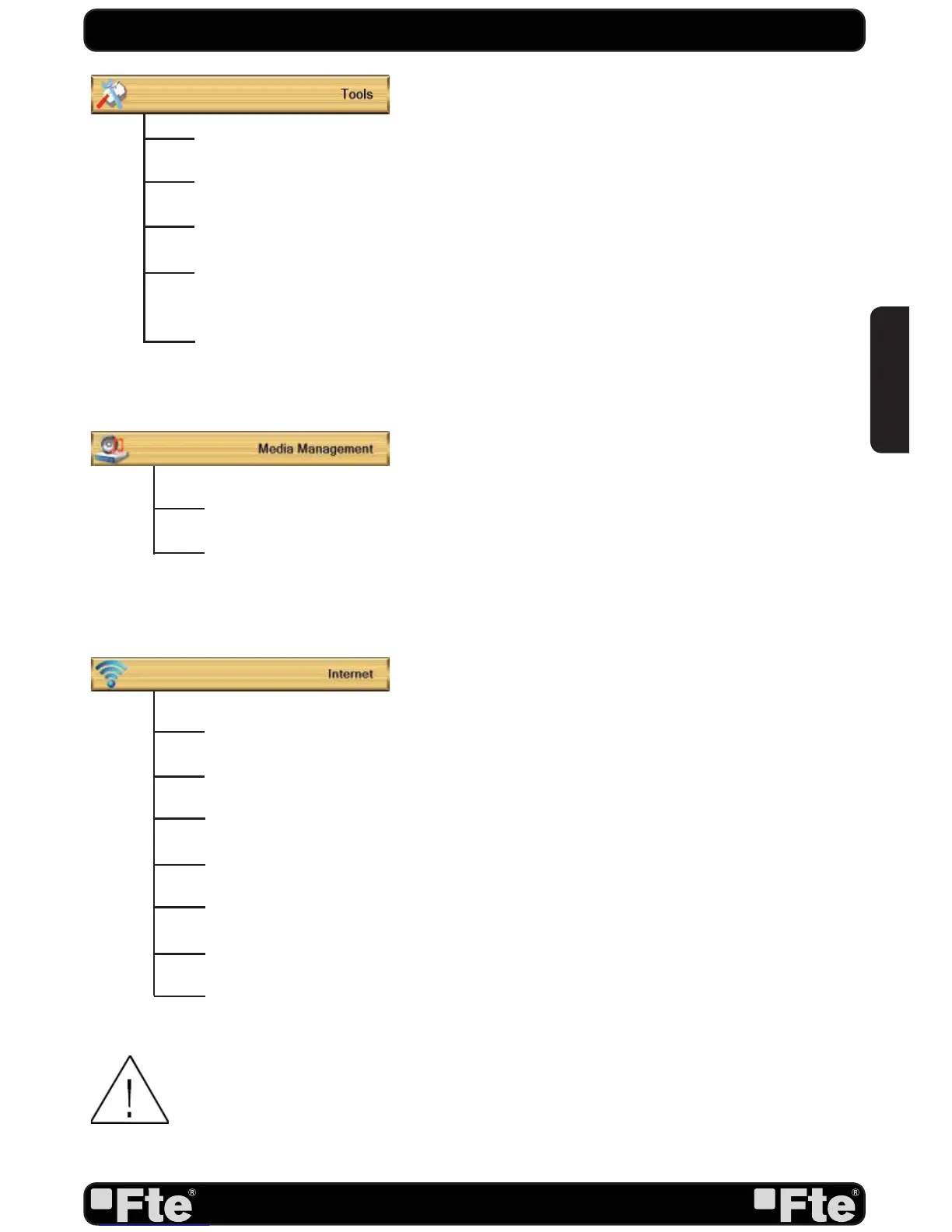
Information: Shows all the technical information for the selected channel.
Quick Setup: The installation assistant will be loaded.
Factory Setting: This option resets the receiver and loads the factory default values.
Software Upgrade: For updating your receiver through USB or satellite (OTA) and also for
making backup of the information of the receiver in a USB device.
Remove USB device safely: Allows remove USB device of safety way.
Media List: Multimedia Player.
Disk Information: You can see the capacity of the hard disk.
QUICK INSTALLATION GUIDE
TCP/IP Setting: Allows to configure IP settings.
WiFi Manager: Allows to select the WiFi network from a list.
Weather: Weather information.
Internet radio: For listening to the Internet radio.
FTE radio: List of German radio stations.
Internet video: For playing some internet videos.
Flickr: For displaying internet images.
NOTE: In the area of Internet video, there is offered some Adult content. This area is spe-
cially secure. Please change the default password in the Parental Lock menu of the
System Setup menu.


 To Next Page