43
3
SETUP MODE The table below explains the camerasettings
See the following pages for information on how to specify the settings.
FRAME NO.
(Frame number memory)
Settings Display Explanation
QUALITY
(Image quality)
FILE SIZE
(Number of pixels)
SHARPNESS
BEEP
(Buzzer volume)
DATE/TIME
(Date and time)
RESET
FINE/NORMAL/BASIC
HARD/NORMAL/SOFT
1280✕960/640✕480
CONT/RENEW
HIGH/LOW/OFF
SET
EXE
You can select any of 3 levels of quality (recorded image
compression ratio), depending on the type of shot. The
standard number of available shots varies depending on
the selected image quality
(➡P.78)
.
You can select either of two file size settings (image sizes)
depending on the type of shot. The standard number of
available shots varies depending on the selected file size.
Can be set to 3 levels:
HARD : Best for shots such as pictures of text where
clarity is particularly important (sharpened
outlines).
NORMAL :
Best for normal shots.
SOFT : Best for image processing on a personal
computer (softened outlines).
Specifies whether the Frame No. Memory function is used
(➡P.45).
Selects the buzzer volume for camera operation. When this
is set to OFF, the camera buzzer emits no sound.
Sets the date and time (➡P.18).
Pressing the “MENU/EXE” button resets the settings in the
SETUP screen (excluding the date and time) to the factory
defaults.
NORMAL
Factory default
1280✕960
RENEW
HIGH
—
—
NORMAL
42
SELF-TIMER MODE
3 4
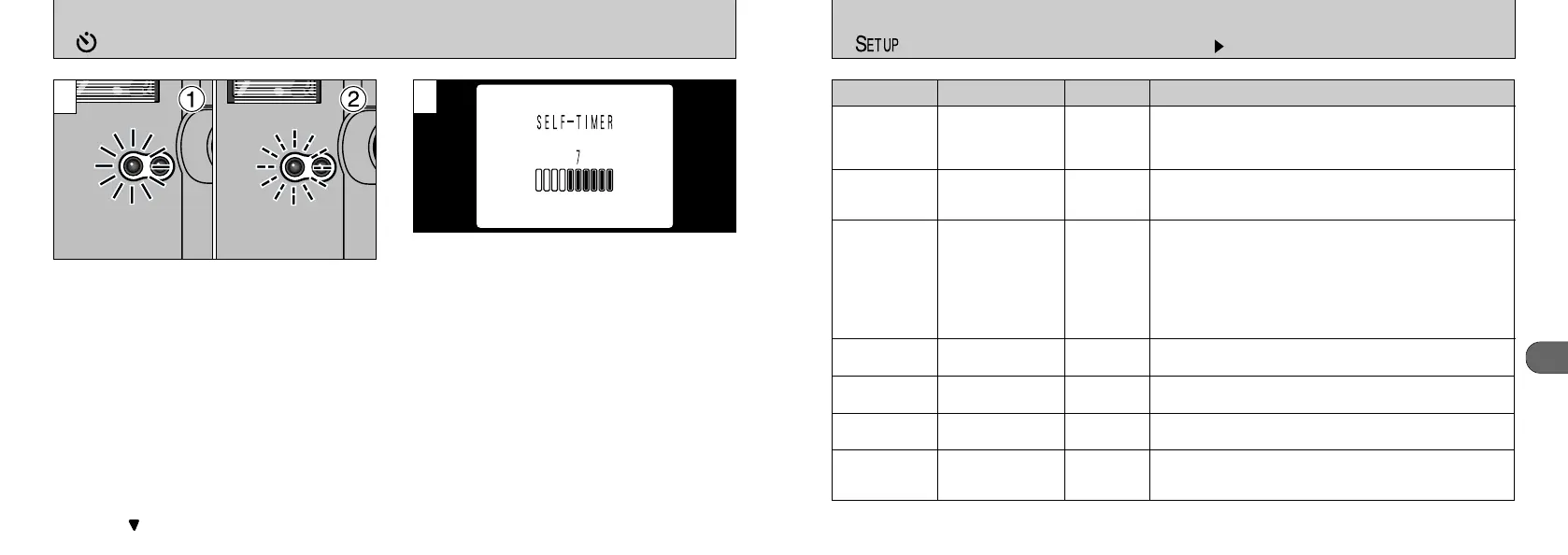
The time remaining until the picture is taken is
counted down on the LCD monitor.
●
!
Once started, the self-timer can be stopped by
pressing “” on the 4-way button.
➀
The self-timer lamp lights for about 5 seconds
➁
and then blinks for another 5 seconds, then
the camera takes the picture.










 To Next Page