222
The Setup Menus
8
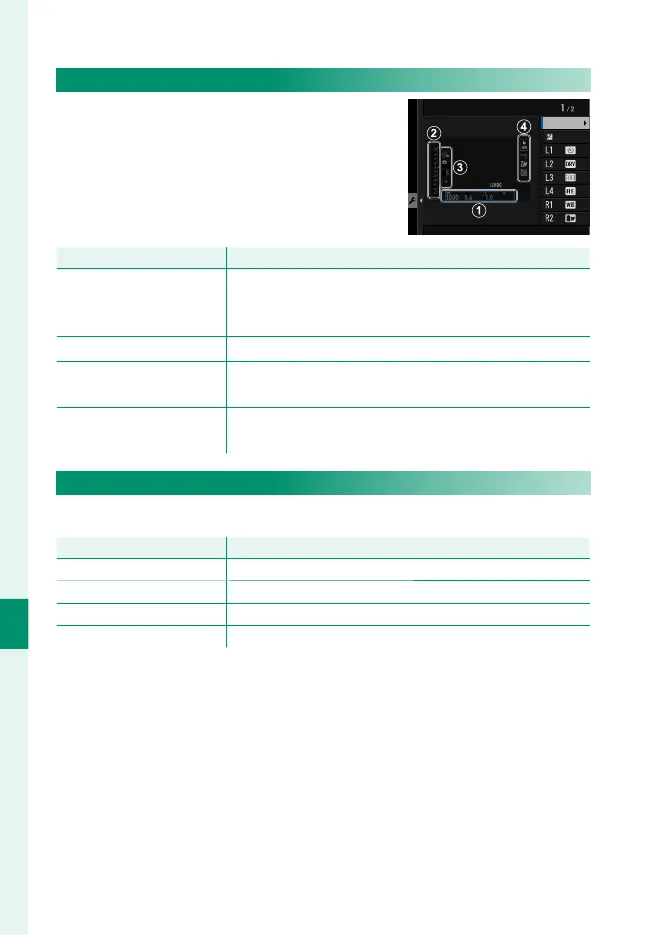
LARGE INDICATORS DISP. SETTING
Choose the indicators displayed when
ON is selected for D SCREEN SET-UP>
LARGE INDICATORS MODE(EVF) or
LARGE INDICATORS MODE(LCD).
Scale
Expo. DISP.
LARGE INDICATORS DISP. SETTING
Option
Description
A
Expo. DISP.
Choose the items listed at the bottom of the display.
Selected items are indicated by check marks (R); to
deselect, highlight the check marks and press MENU/OK.
B
d Scale
Select ON to display the exposure indicator.
C
L1, L2, L3, L4
Choose up to four large icons for display on the left side
of the screen.
D
R1, R2, R3, R4
Choose up to four large icons for display on the right
side of the screen.
INFORMATION CONTRAST ADJ.
Adjust display contrast.
Option
Description
HIGH CONTRAST High contrast.
STANDARD Normal contrast.
LOW CONTRAST Low contrast.
DARK AMBIENT LIGHTING Contrast adjusted for dim ambient lighting.



 To Next Page