16
1
Before You Begin
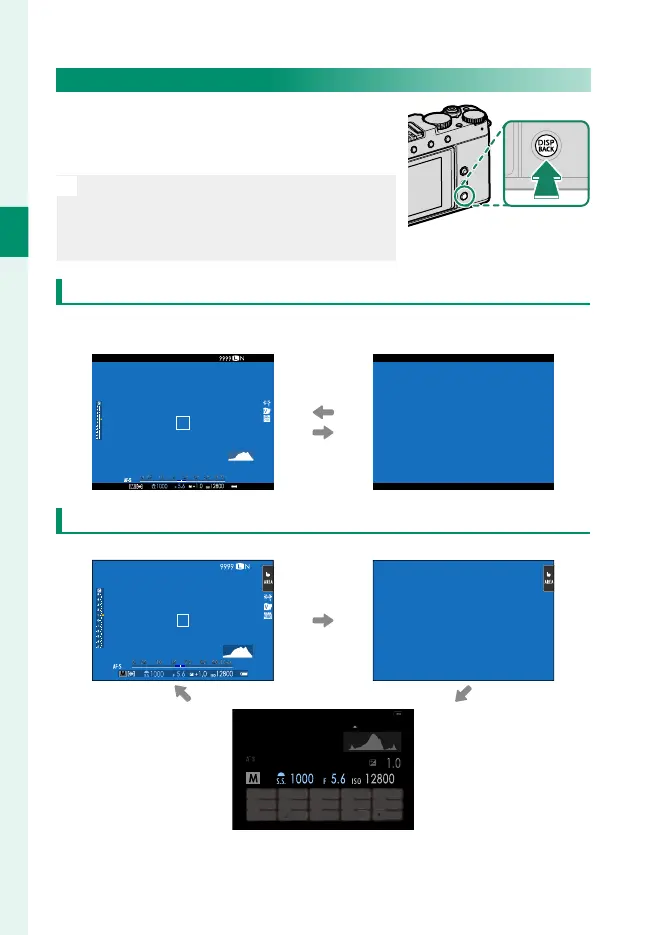
The DISP/BACK Button
The DISP/BACK button controls the display
of indicators in the view nder and LCD
monitor.
N
Indicators for the EVF and LCD must be
selected separately. To choose the EVF
display, place your eye to the view nder
while using the DISP/BACK button.
Viewfi nder (EVF)
Standard indicators
Full screen
(no indicators)
LCD Monitor
Standard indicators No indicators
Info display (still photography only)



 To Next Page