250
Shortcuts
9
Editing the Quick Menu
To choose the items displayed in the quick menu:
1
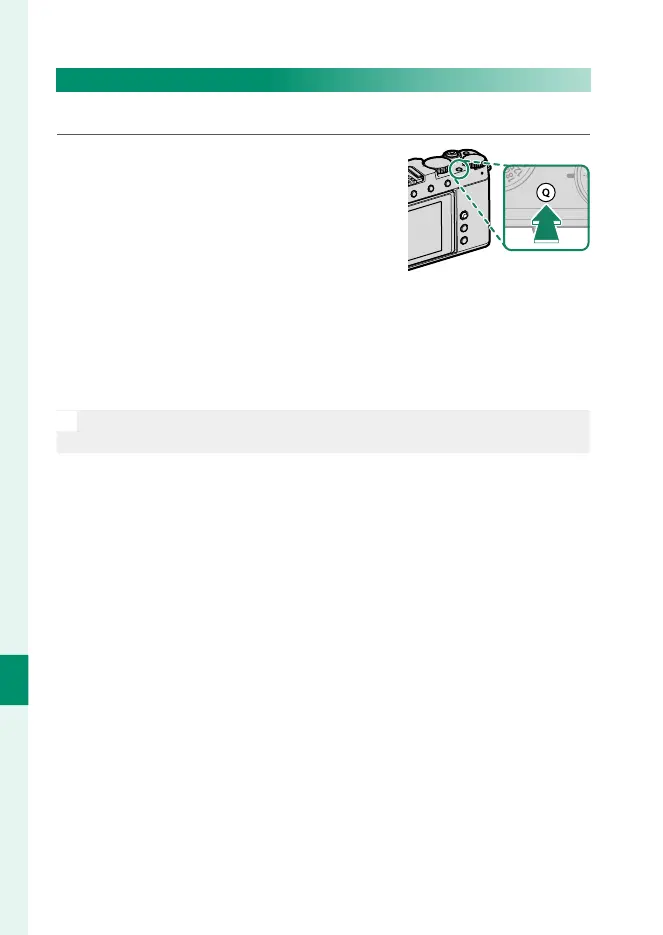
Press and hold the Q button during
shooting.
Photo or movie EDIT/SAVE QUICK
MENU options will be displayed.
2
Highlight the item currently in the position you wish to edit
and press MENU/OK.
3
Highlight the desired item and press MENU/OK to assign it to
the selected position.
N
The quick menus can also be edited using D BUTTON/DIAL SETTING>
x EDIT/SAVE QUICK MENU or F EDIT/SAVE QUICK MENU.



 To Next Page