65
5
Taking Photographs
P, S, A, and M Modes
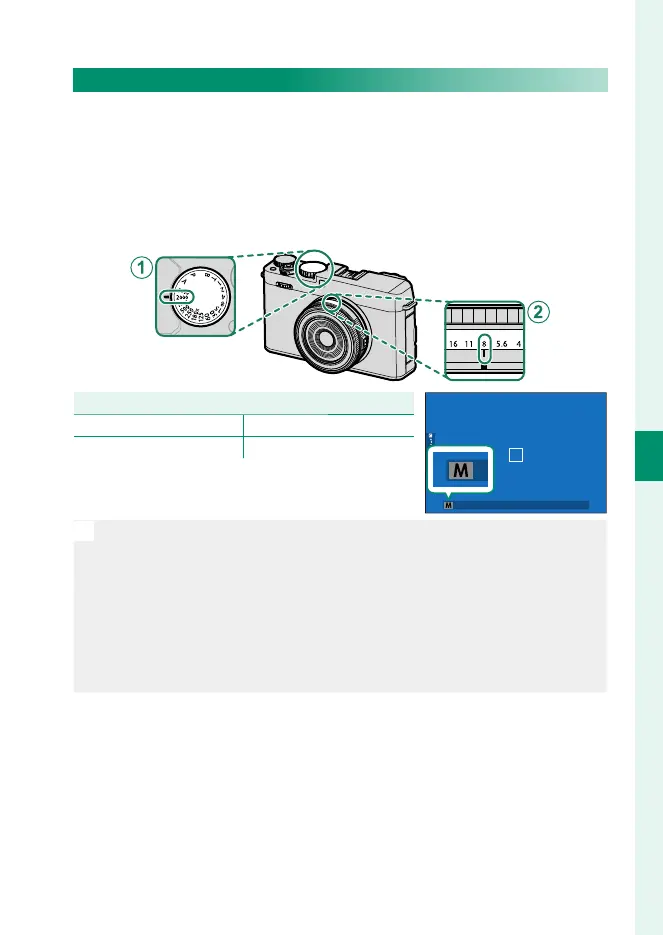
Mode M: Manual Exposure
In manual mode, the user controls both shutter speed and aperture.
Shots can be deliberately overexposed (brighter) or underexposed
(darker), opening the door for a variety of individual creative ex-
pression. The amount the picture would be under- or over-exposed
at current settings is shown by the exposure indicator; adjust shut-
ter speed and aperture until the desired exposure is reached.
Setting
A
Shutter speed User-selected
B
Aperture User-selected
Con rm that M appears in the display.
N
•
If the lens is equipped with a aperture ring, aperture can be adjusted
by rotating the ring. If you are using a lens without an aperture ring,
press the center of the front command dial to cycle to APERTURE
and then rotate the dial to choose a value.
•
When set to S.S. (PROGRAM SHIFT), the front command dial can be
rotated to adjust shutter speed in increments of ⁄EV.
•
Front command dial settings can be adjusted using D BUTTON/
DIAL SETTING> COMMAND DIAL SETTING (P 67, 226).



 To Next Page