48
4
Movie Recording and Playback
Recording Movies
Record movies with sound.
Recording Movies
Movies can be recorded by pressing the shutter button when
F(movie) is selected in the drive-mode menu or by pressing
the function button to which MOVIE RECORDING RELEASE is
assigned.
The Drive-Mode Menu (F Movie)
Selecting F (movie) in the drive-mode menu and recording
movies using the shutter button gives you control over a variety
of camera settings.
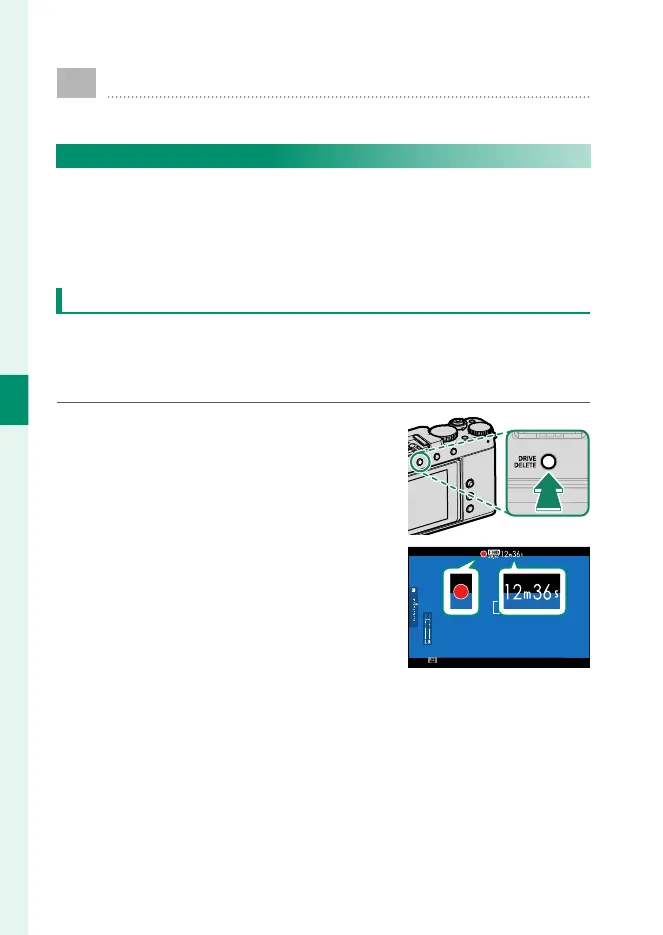
1
Press the DRIVE/DELETE button and se-
lect MOVIE in the drive-mode menu.
2
Press the shutter button all the way
down.
Recording will start.
•
A recording indicator (V) is dis-
played while recording is in prog-
ress.
•
The display shows the elapsed re-
cording time.
3
Press the shutter button again to end recording.
Recording ends automatically when the movie reaches
29minutes 59seconds or the memory card is full.



 To Next Page