62
5
Taking Photographs
Using a Remote Release
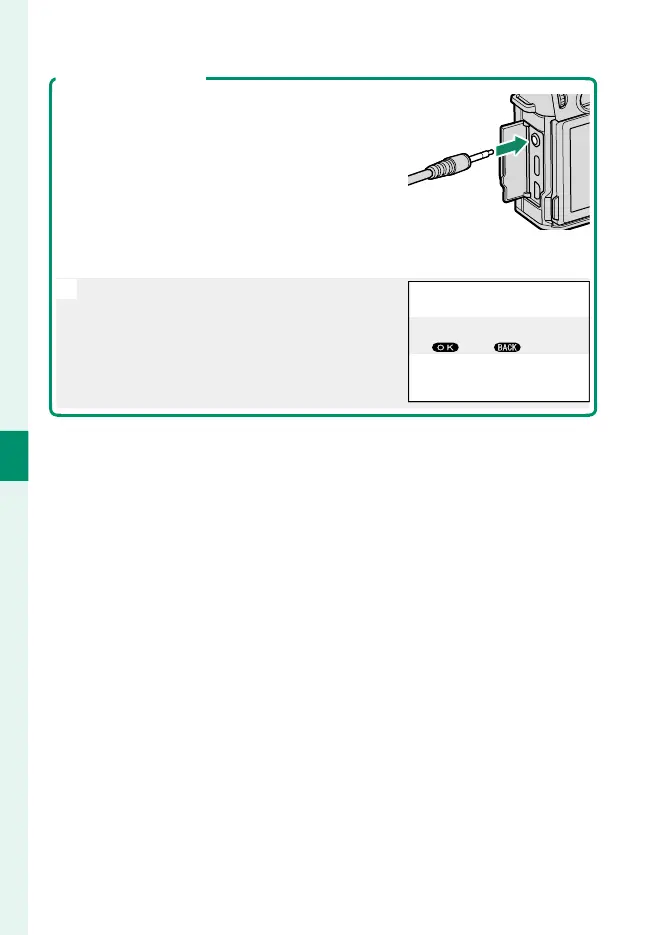
A remote release can be used for long time-ex-
posures. When using an optional RR-100 re-
mote release or an electronic release from
third-party suppliers, connect it to the camera’s
microphone/remote release connector via a
third-party adapter that converts the female
three-pin, ⌀2.5 mm connector to a male three-
pin, ⌀3.5 mm connector.
N
A con rmation dialog will be displayed
when a remote release is connected; press
MENU/OK and select n REMOTE for MIC/
REMOTE RELEASE.
SKIP
CHECK MIC/REMOTE RELEASE
SETTING
SET



 To Next Page