System upgrades
A26361-K990-Z120-1-7619, Edition 6 39
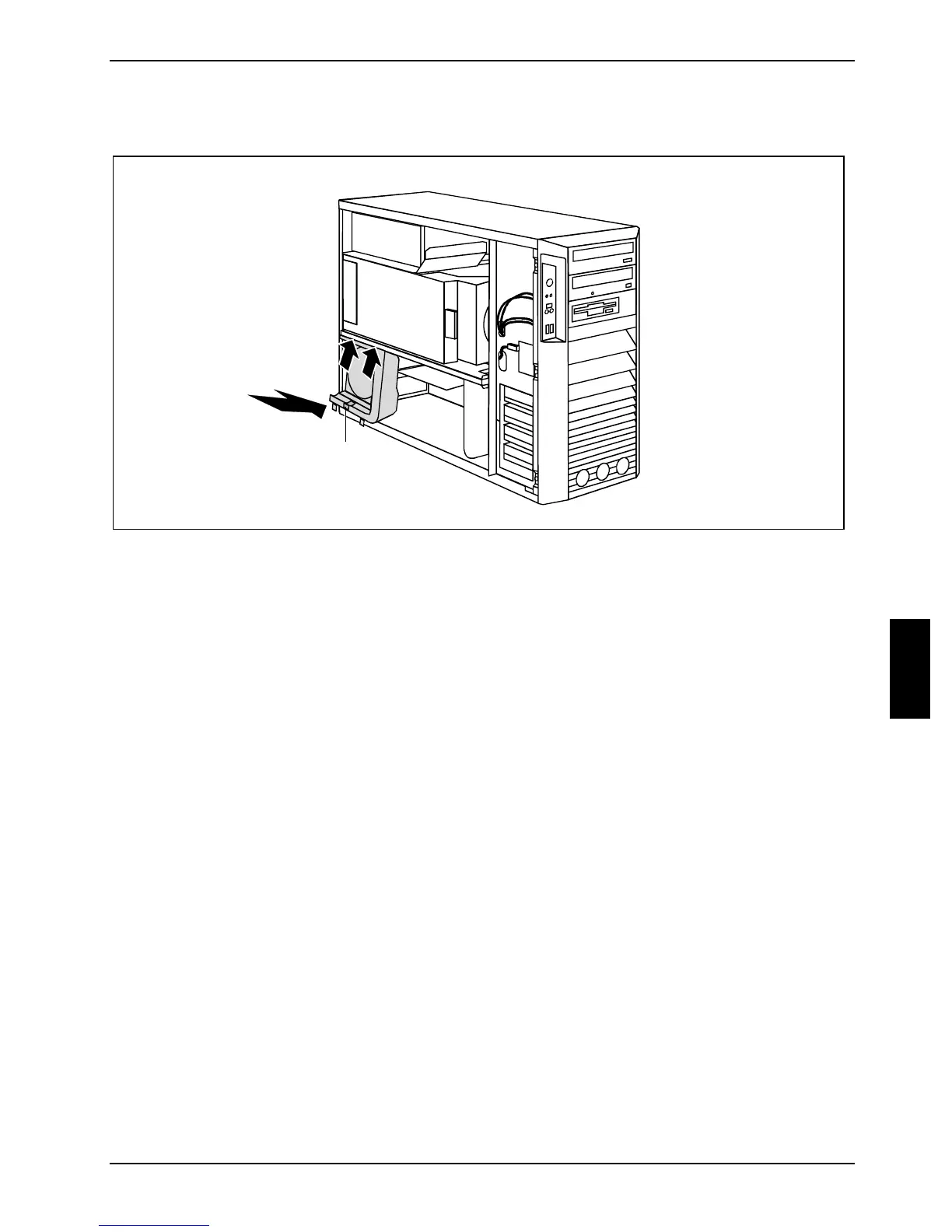
Installing the side fan
2
1
1
a
► Connect the fan cable to the corresponding plug contact on the mainboard (refer also to the
manual of the mainboard).
► Position the side fan at a slight angle in the direction of the arrow (1) and hook the fan lugs into
the cutouts on the cross piece.
► Press the side fan into the casing in the direction of the arrow (2) so that the catch (a) engages.
► Close the casing (see "
Closing the casing").



 To Next Page