System upgrades
A26361-K990-Z120-1-7619, Edition 6 65
Installing and removing the hard disk drive
Installing a hard disk drive
► Open the casing (see "Opening the casing").
► Take the new hard disk drive out of its packaging.
► Only for SCSI drives: Make the required settings on the drive.
a
b
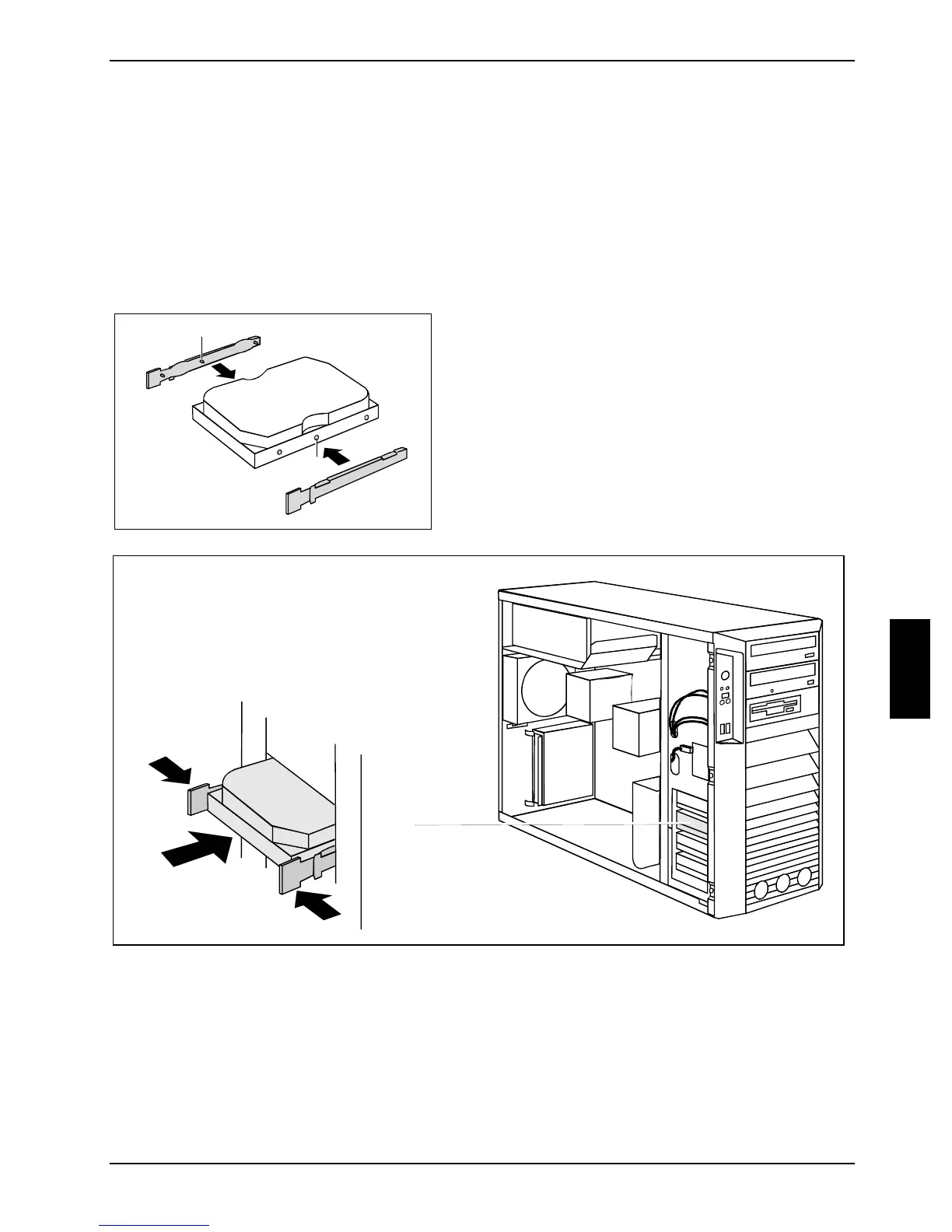
► Secure the EasyChange rails on the side of the
hard disk by inserting the pins (a) of the
EasyChange rail in the corresponding holes (b) of
the hard disk.
2
1
1
► Press the EasyChange rails in the direction of the arrows (1).
► Push the hard disk drive into the casing (2) until the EasyChange rails engage.



 To Next Page