System upgrades
66 A26361-K990-Z120-1-7619, Edition 6
► CELSIUS M only: Remove the cover of the power supply (see "Removing cover of power
supply (CELSIUS M) ").
► Connect the data and power supply cables to the hard disk drive or to the hard disk drives.
► CELSIUS M with SCSI hard disk only: Install the front fan (see "
Installing front fan (CELSIUS
M)").
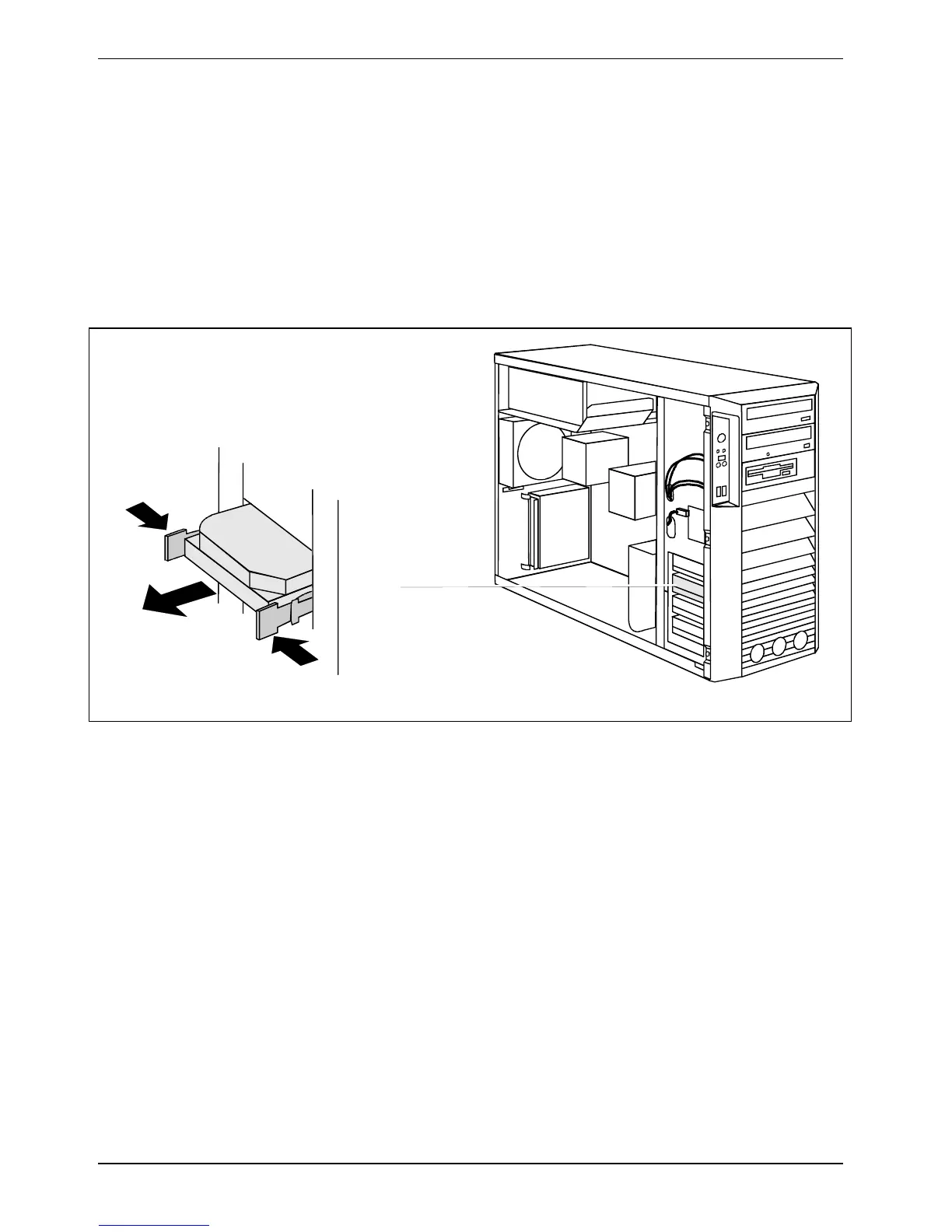
Removing a hard disk drive
► Open the casing (see "Opening the casing").
2
1
1
2
► Press the EasyChange rails in the direction of the arrows (1).
► Pull the hard disk drive out of the carrier (2).



 To Next Page