System upgrades
42 A26361-K990-Z120-1-7619, Edition 6
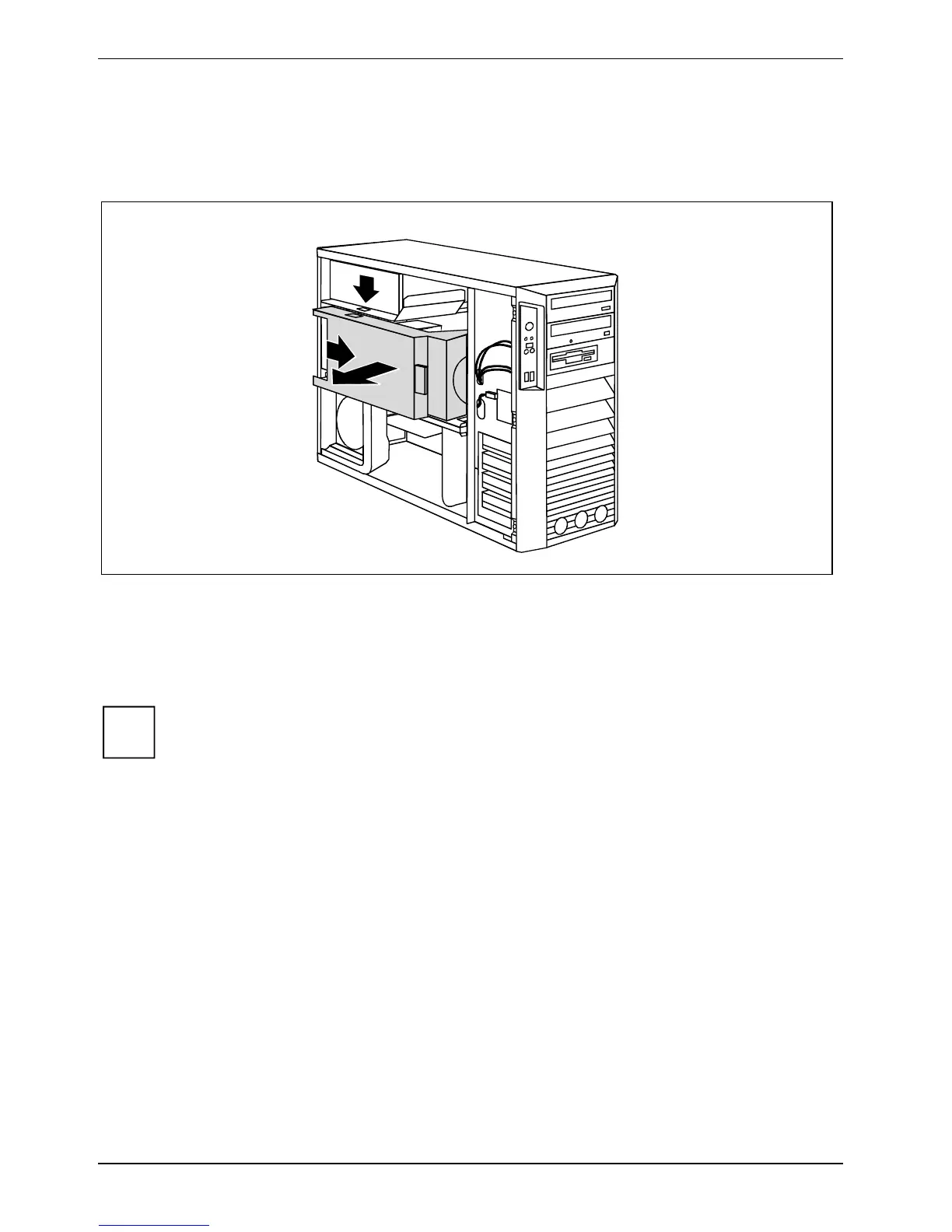
Removing ventilation duct (CELSIUS V)
Before you can upgrade the main memory or the processor, or before you can replace the processor
or the lithium battery, you must remove the ventilation duct.
2
1
3
► Unlock the ventilation duct by pressing locking hooks in the direction of the arrow (1).
► Pull the ventilation duct a few millimetres in the direction of the arrow (2).
► Lift the ventilation duct in the direction of the arrow (3) out of the housing and disconnect the
fan cables if required.
i
When removing the ventilation duct, be careful not to damage the processor cooler(s) on
the mainboard.



 To Next Page