System upgrades
A26361-K990-Z120-1-7619, Edition 6 51
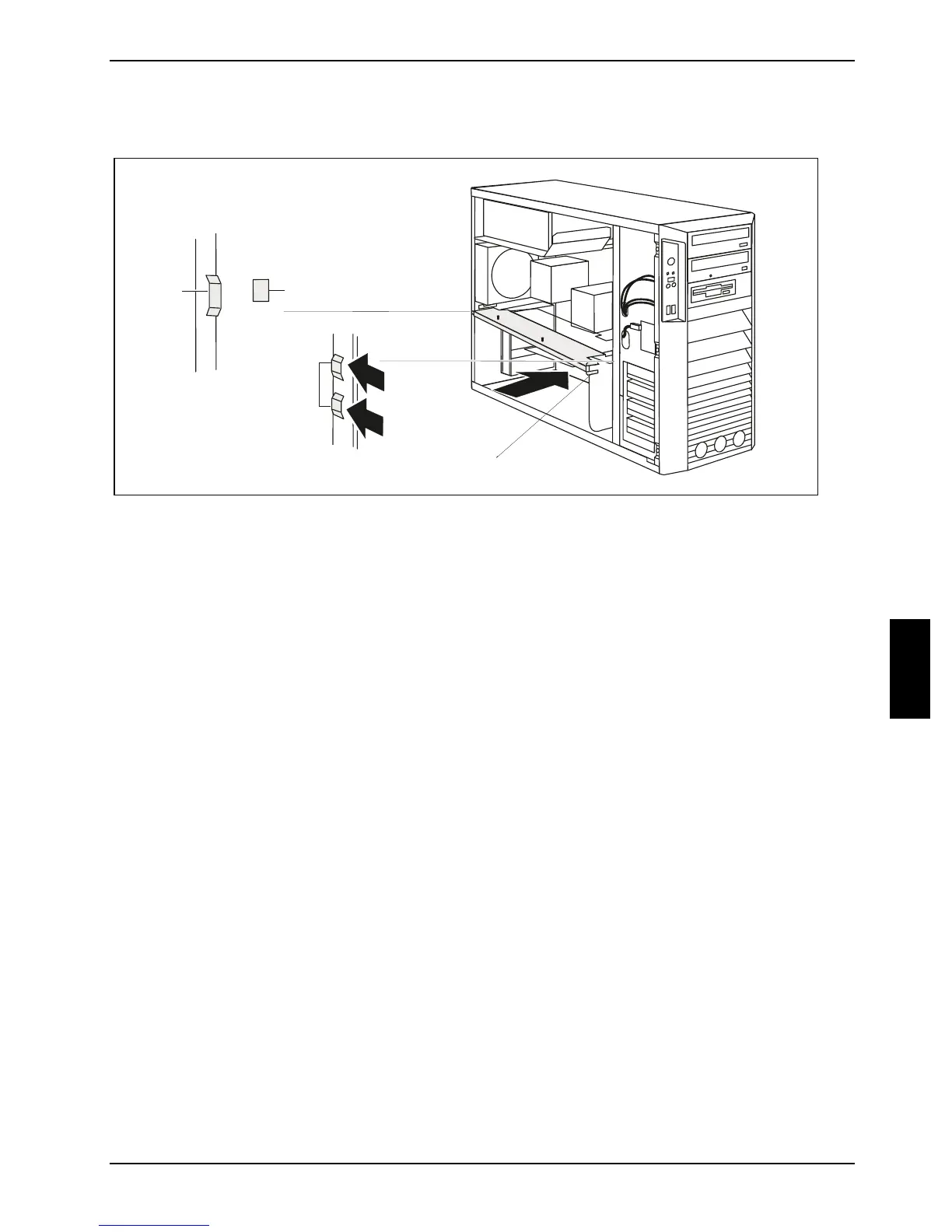
Installing the cross-piece
1
2
2
c
b
a
a
► Insert the cross-piece into its brackets (a) on the rear of the casing at a slight angle.
Make sure that the plexiglass plate of the cross-piece is not trapped between the memory slots.
► Press the cross-piece into the casing in the direction of the arrow (1) until the lugs (b) of the
cross-piece hook into the brackets (c) in the casing.
► Install the side fan (see "
Installing the side fan").
► Install the ventilation duct (see "
Installing ventilation duct (CELSIUS V)" or "Installing the
ventilation duct (CELSIUS R5xx)").
► Close the casing (see "
Closing the casing").



 To Next Page