System upgrades
A26361-K990-Z120-1-7619, Edition 6 57
1
3
2
2
a
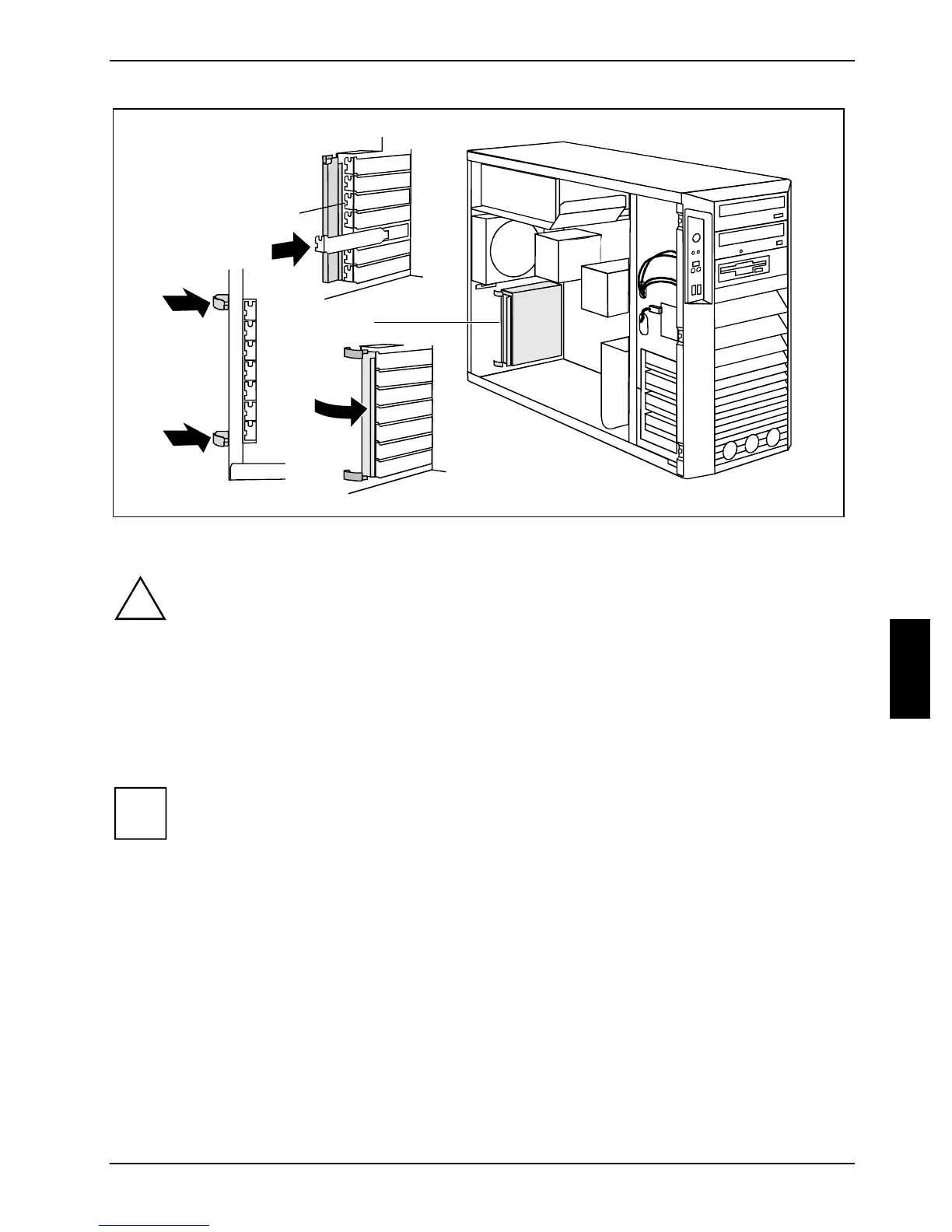
► Push the slot cover into the slot (1).
!
Ensure that the projection (a) on the slot cover engages into the appropriate recess. If it
does not, you will find it difficult to close the locking rail. There is a danger of damage.
► Fold the locking rail (3) closed by pressing the clips (2) through the notches on the casing rear
panel from the outside until they engage.
► If you have removed the cross-piece, install it now (see "
Installing the cross-piece").
► Install the fan (see "
Installing the side fan").
► Close the casing (see "
Closing the casing").
i
If you have installed or removed a PCI board, please check the relevant PCI slot settings
in the
BIOS Setup. If necessary, change the settings. Further information is provided in the
PCI board documentation.



 To Next Page