fi-5120C / fi-5220C Image Scanner Operator
Guide
TROUBLE SHOOTING
CONTENTS MAP
TOP
2.1 Turning the Scanner ON (2)
1
2
3 4 5 6
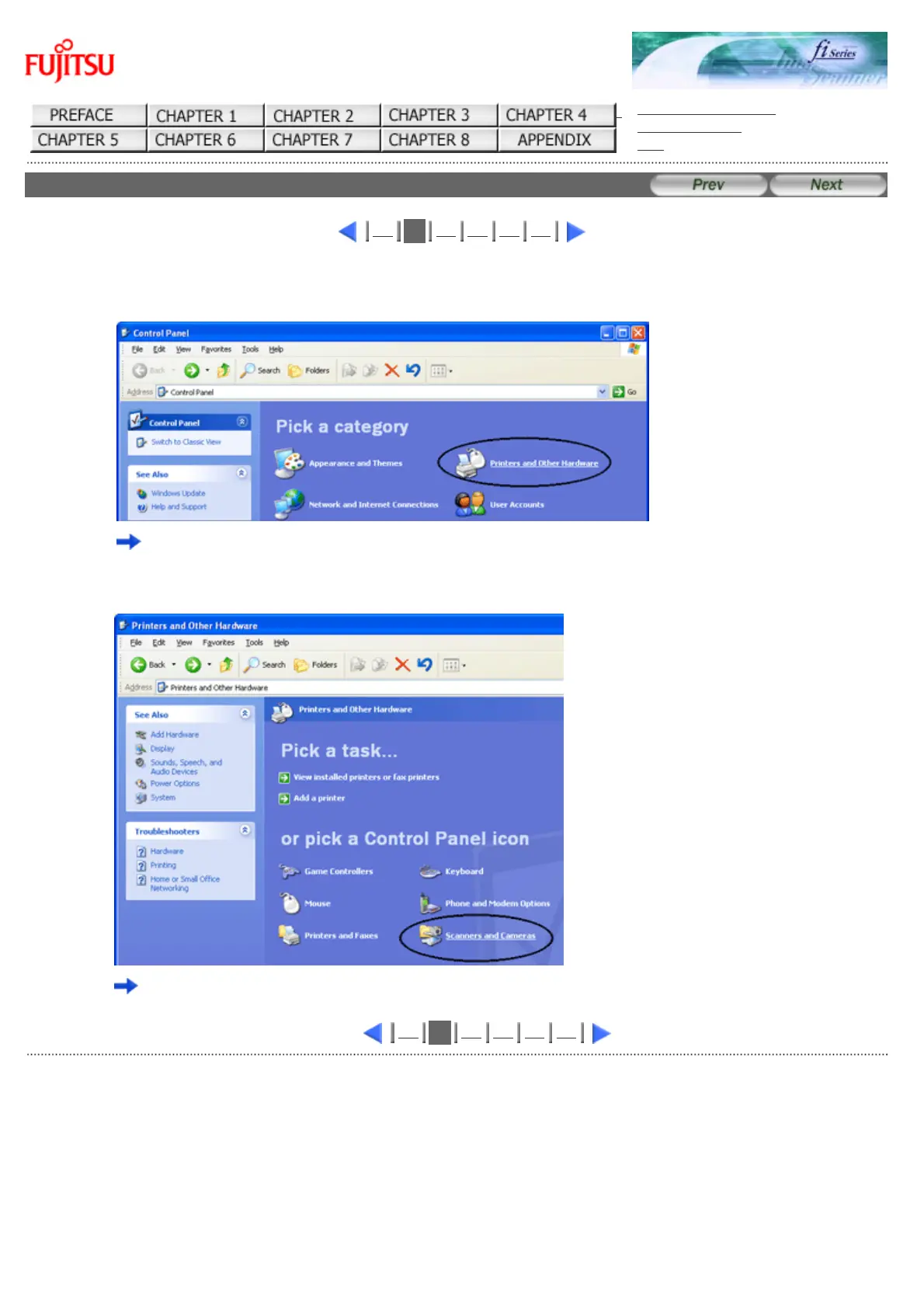
2) Double click the "Printer and Other Hardware" icon on the Control panel of your PC.
The [Printer and Other Hardware] window appears.
3) On the [Printers and Other Hardware] window, double click the [Scanners and Cameras] icon.
The [Scanners and Cameras] window is displayed.
1
2
3 4 5 6
All Rights Reserved Copyright 2006-2009 © PFU LIMITED



 To Next Page
 Loading...






