fi-5120C / fi-5220C Image Scanner Operator
Guide
TROUBLE SHOOTING
CONTENTS MAP
TOP
3.9 Detecting Multi feeds (1)
1
2 3 4 5 6
"Multi feed" is a feeding error that occurs when two or more sheets in the ADF paper chute are fed simultaneously into
the scanner.
You can set the scanner to detect multi feed, stop scanner operation, and display an error message.
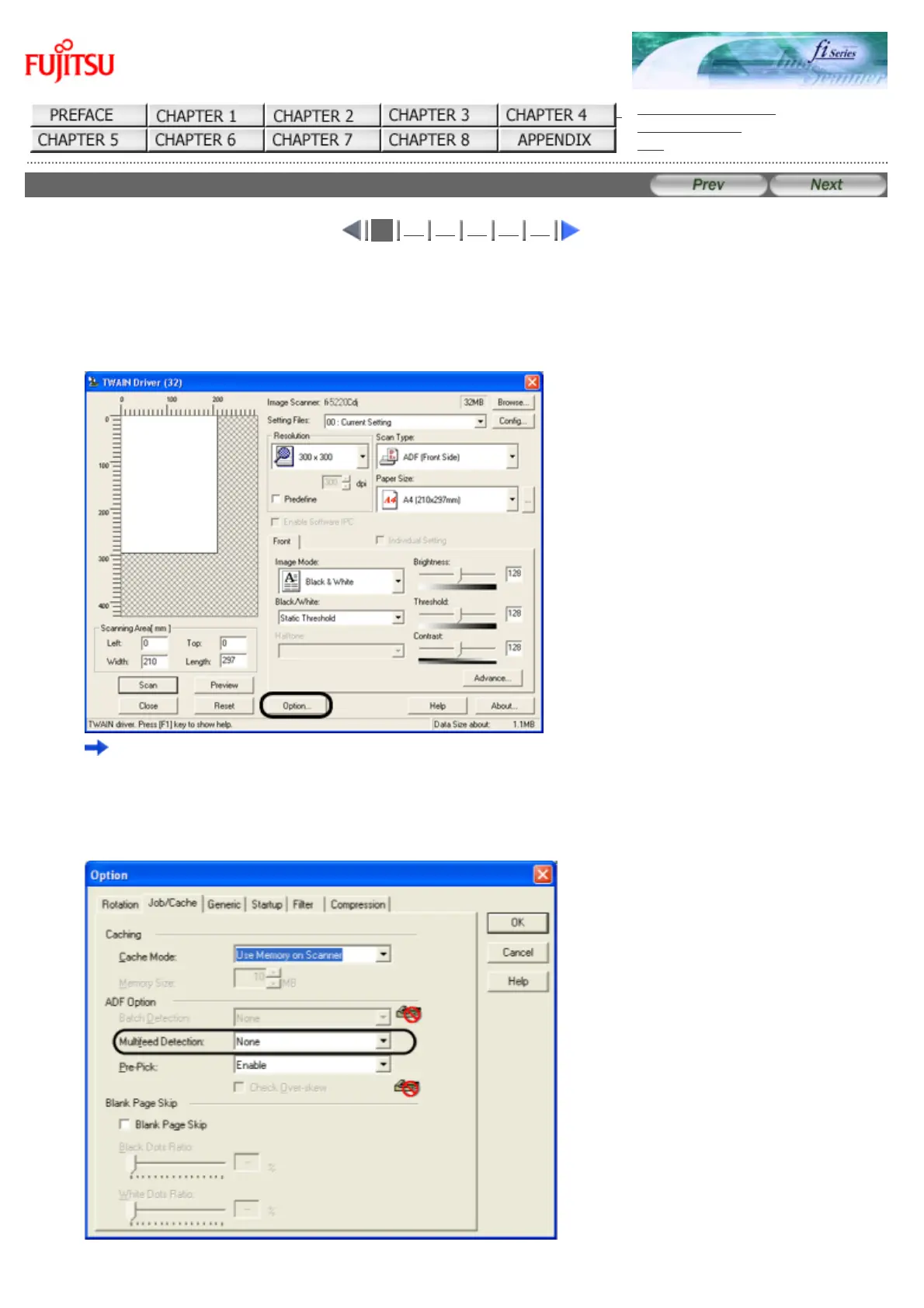
To set the scanner to detect multi feed, change the settings in the [TWAIN Driver] dialogbox.
1. Click the [Option...] button in the [TWAIN Driver] dialogbox.
The [Option] dialog box appears.
2. Click the [Job/Cache] tab.
3. Select the detection conditions from "Multi Feed Detection" under "ADF Option".










 To Next Page