fi-5120C / fi-5220C Image Scanner Operator
Guide
TROUBLE SHOOTING
CONTENTS MAP
TOP
3.6 Saving Scanned Images in PDF Format (2)
1
2
3 4 5 6 7 8
Using ScandAll 21
1. Load the documents on the ADF paper chute or flatbed.
2. Start up ScandAll 21..
From [Start] menu, select [Program] - [Scanner Utility for Microsoft Windows] -
[ScandAll 21]. This starts up ScandAll 21.
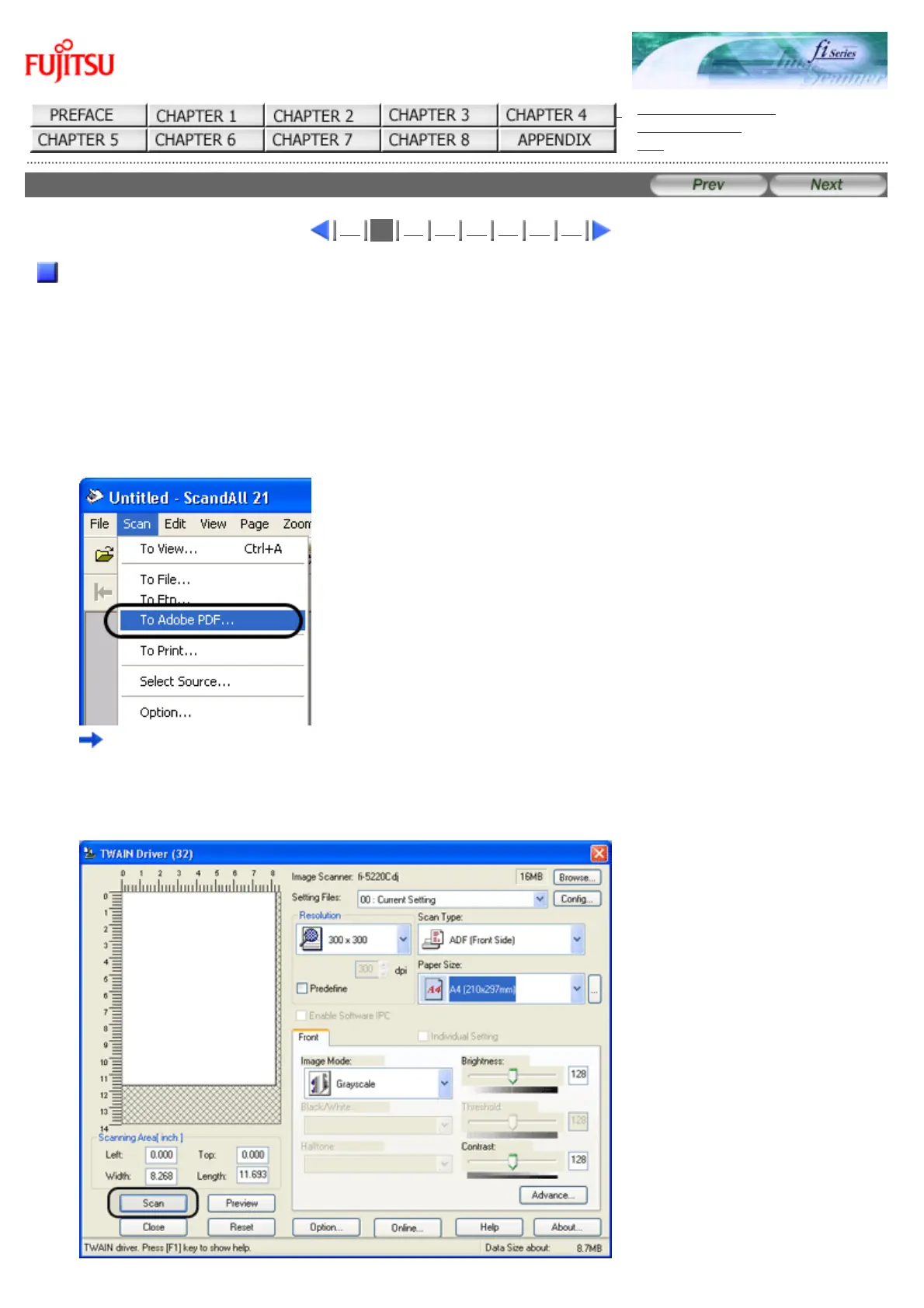
3. From the menu bar select [Scan] and then [To Adobe PDF] from the pull down menu.
"TWAIN Driver" dialog box is displayed.
4. Select the scan resolution, document size and other scan conditions, and then click the [Scan]
button.










 To Next Page