fi-5120C / fi-5220C Image Scanner Operator
Guide
TROUBLE SHOOTING
CONTENTS MAP
TOP
3.6 Saving Scanned Images in PDF Format (5)
1 2 3 4
5
6 7 8
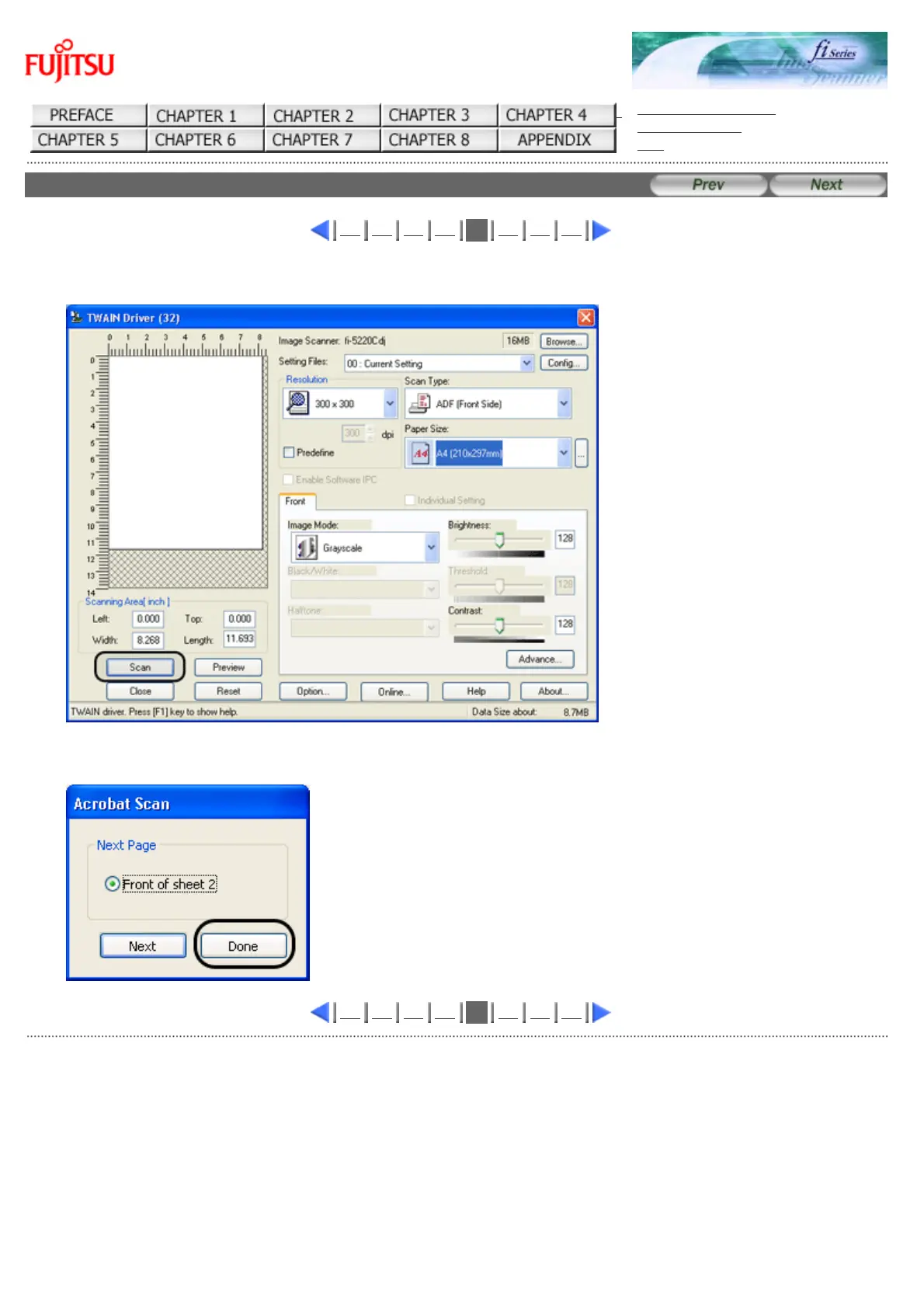
5. Select the scan resolution, document size and other scan conditions, and click the [Scan] button.
6. To end scanning, click the [Done] button.
1 2 3 4
5
6 7 8
All Rights Reserved Copyright 2006-2009 © PFU LIMITED










 To Next Page